
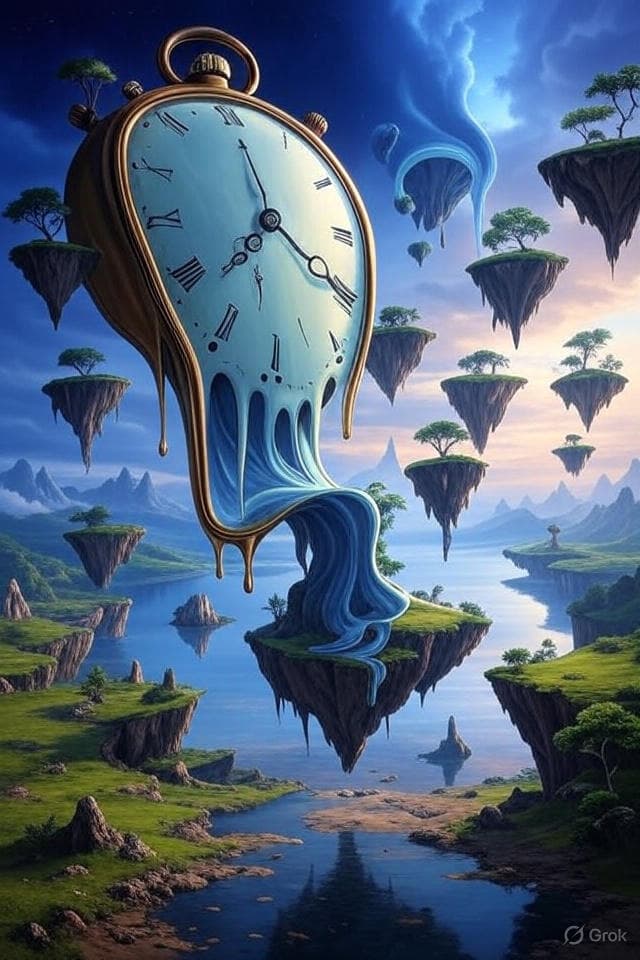
AI art generation has revolutionized creative expression in 2026. This comprehensive guide will teach you how to create stunning visuals using DALL-E 3, Midjourney v7, Flux 1.1 Pro, and other leading tools.
Understanding AI Art Generation in 2026
AI art tools use text prompts to generate images. The quality of your output depends heavily on how well you craft your prompts. In 2026, AI art generation is mainstream, with freelance artists regularly using these tools for concepting and clients expecting AI-assisted workflows.
Key Differences: Top Tools in 2026
DALL-E 3 (via ChatGPT):
- Most literal interpretation of detailed instructions
- Native image generation in ChatGPT (not just API access)
- Excellent for photorealistic images
- Best text rendering and instruction-following
- Improved instruction understanding over 2025
Midjourney v7:
- More artistic and stylized with improved anatomy
- Better for creative, abstract concepts
- Exceptional artistic styles
- Strong aesthetic sense
- New parameters:
--style rawfor photorealism,--sreffor style references,--creffor character consistency - Much better hand anatomy and rendering than previous versions
Flux 1.1 Pro:
- Fastest photorealistic rendering
- Open-source alternative with excellent quality
- Available via API and multiple platforms
- Ideal for commercial/professional workflows
- Strong prompt-following capability
Adobe Firefly 3:
- Best for commercial use (trained on licensed content)
- Excellent typography in images
- Safe for commercial client work
- Good color accuracy and artistic control
Google Imagen 3:
- Photorealistic quality with strong detail
- Integrated with Google ecosystem
- Good composition and lighting
Stable Diffusion 3.5:
- Open-source accessibility
- Customizable for specific aesthetics
- Good for local installation and fine-tuning
Essential Prompt Components
1. Subject Description
Be specific about what you want:
- "A majestic lion" vs "A golden-maned lion sitting regally"
2. Style Specification
Define the artistic style:
- Photography styles: "professional headshot", "street photography"
- Art styles: "oil painting", "watercolor", "digital art"
- Specific artists: "in the style of Van Gogh", "Picasso-inspired"
3. Composition Details
Specify framing and perspective:
- "close-up portrait"
- "wide landscape shot"
- "bird's eye view"
- "low angle dramatic shot"
4. Lighting and Mood
Set the atmosphere:
- "golden hour lighting"
- "dramatic shadows"
- "soft diffused light"
- "neon cyberpunk lighting"
5. Color Palette
Guide color choices:
- "vibrant colors"
- "muted earth tones"
- "monochromatic blue"
- "high contrast black and white"
Advanced Techniques
Negative Prompts
Tell the AI what NOT to include:
- "beautiful landscape --no people, buildings, cars"
Weight Modifiers
Emphasize certain elements:
- "red roses::2 in a garden::1" (roses are twice as important)
Aspect Ratios
Control image dimensions:
- "--ar 16:9" for widescreen
- "--ar 1:1" for square
- "--ar 9:16" for vertical
Quality and Stylization
Fine-tune output:
- "--q 2" for higher quality
- "--s 750" for more stylized results
Practical Examples
Portrait Photography
Professional headshot of a confident businesswoman,
studio lighting, clean background, sharp focus,
shot with 85mm lens, photorealistic, high resolution
Fantasy Art
Mystical forest with glowing mushrooms, ethereal mist,
ancient trees, magical atmosphere, fantasy art style,
vibrant colors, detailed illustration, 4K quality
Product Photography
Luxury watch on marble surface, dramatic lighting,
reflections, commercial photography style,
clean composition, high-end product shot
Abstract Art
Flowing liquid metal forms, iridescent colors,
abstract composition, smooth gradients,
modern digital art, minimalist design
Platform-Specific Tips
DALL-E Best Practices
- Be very specific and detailed
- Use descriptive adjectives
- Specify image style clearly
- Include technical photography terms
- Mention specific artists or art movements
Midjourney v7 Best Practices (2026)
- Use artistic and emotional language
- Reference specific art styles
- Experiment with aspect ratios
- Use
--style rawfor photorealistic results - Use
--srefto reference specific visual styles - Use
--crefto maintain character consistency across generations - Use
--stylizeparameter to control artistic influence - Leverage improved anatomy and hand rendering in v7
Common Mistakes to Avoid
1. Being Too Vague
❌ "A nice landscape"
✅ "Rolling green hills at sunset with wildflowers, painted in impressionist style"
2. Overcomplicating Prompts
❌ "A red car driving fast on a highway with mountains and trees and clouds and birds flying overhead in the style of Van Gogh mixed with Picasso"
✅ "Red sports car on mountain highway, Van Gogh style, swirling brushstrokes"
3. Ignoring Composition
❌ "A person"
✅ "Portrait of a person, rule of thirds composition, shallow depth of field"
4. Not Specifying Quality
❌ Basic prompt without quality modifiers
✅ Add "--q 2 --ar 16:9" for better results
Workflow for Better Results
1. Start Simple
Begin with a basic concept and gradually add details.
2. Iterate and Refine
Generate multiple versions and refine your prompt based on results.
3. Study Successful Prompts
Analyze prompts that create images you admire.
4. Build a Prompt Library
Save successful prompts for future reference.
5. Experiment with Styles
Try different artistic styles and techniques.
Advanced Prompt Formulas
The Complete Formula
[Subject] + [Action/Pose] + [Environment/Setting] +
[Lighting] + [Style] + [Technical Parameters]
Example Application
Elegant woman in flowing dress + dancing gracefully +
in a grand ballroom + soft golden lighting +
renaissance painting style + --ar 2:3 --q 2
Troubleshooting Common Issues
Blurry or Low-Quality Images
- Add quality parameters (--q 2)
- Specify "high resolution", "sharp focus"
- Use technical photography terms
Wrong Style or Mood
- Be more specific about artistic style
- Add mood descriptors
- Reference specific artists or movements
Unwanted Elements
- Use negative prompts (--no unwanted_element)
- Be more specific about what you want
- Simplify complex prompts
Video Generation in 2026
While static image generation remains dominant, video generation is now practical for short clips. Several tools have matured:
Sora 2 (OpenAI) - Advanced motion consistency and complex scene understanding. Best for cinematic quality and natural motion.
Runway Gen-4 - Professional-grade video generation with frame-by-frame control and smooth transitions.
Kling 2 - Fast video generation with good physics simulation, ideal for product demonstrations and motion graphics.
Luma Dream Machine 2 - Specialized in photorealistic motion, excellent for extending still images into short videos.
Many creators now combine static image generation (DALL-E, Midjourney, Flux) with video tools to create complete visual content workflows for 2026.
Conclusion
Creating stunning AI art in 2026 is about understanding how to communicate effectively with AI models and choosing the right tool for your specific need. Start with these fundamentals, experiment with different approaches, and develop your own style.
Remember: the best prompts combine technical precision with creative vision. Practice regularly, study successful examples, and don't be afraid to experiment.
The future of art is collaborative between human creativity and AI capability. Master these tools, and you'll unlock new realms of creative expression.