
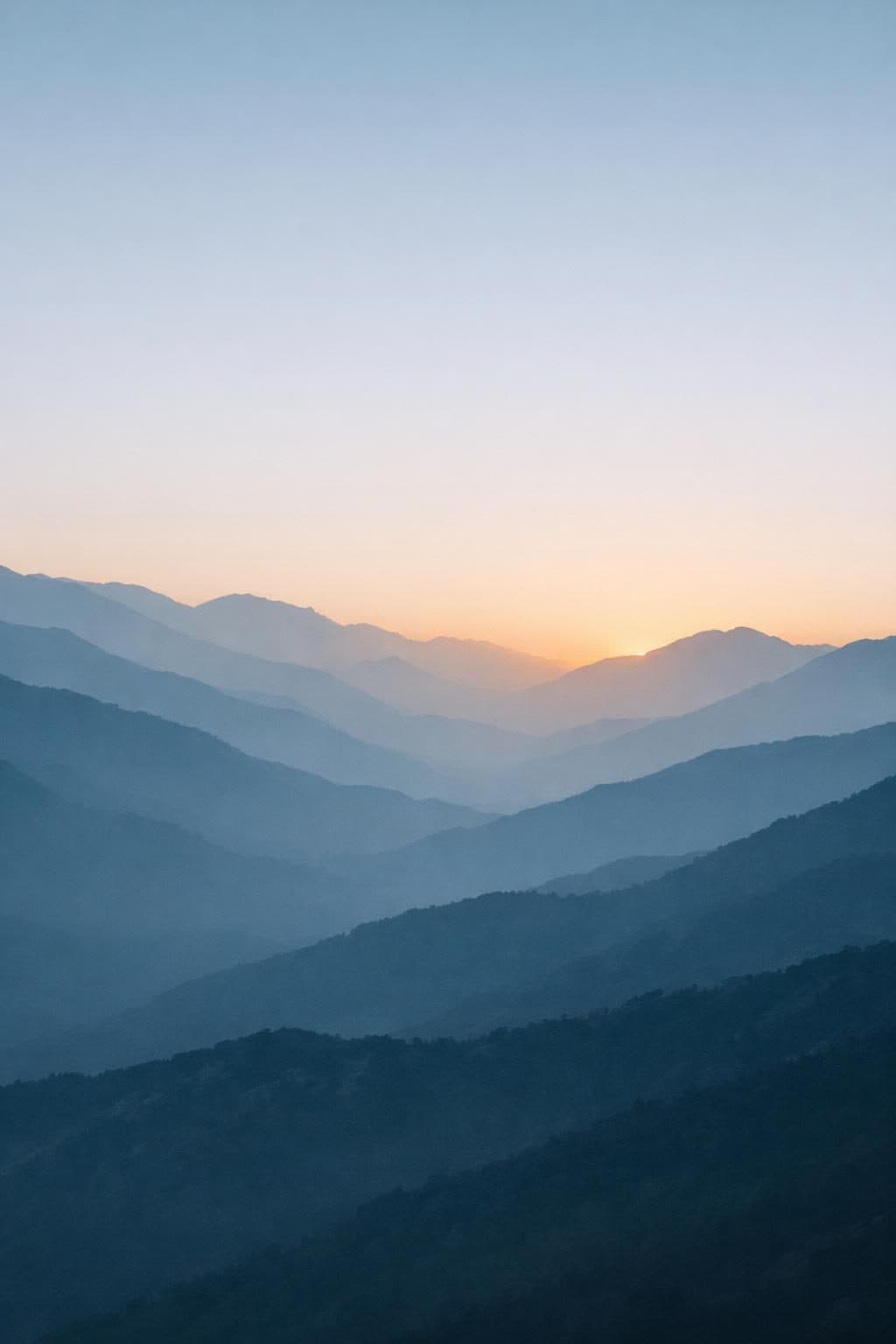
Most AI wallpaper attempts fail for the same reason: the prompt asks for a picture, not a wallpaper. A picture is judged on its own. A wallpaper is judged with a clock across the top, a row of app icons across the bottom, and notification banners landing in the middle of it.
That difference is entirely solvable in the prompt, and it comes down to two instructions almost nobody includes: reserve the upper third for interface legibility, and darken the lower quarter so icons stay readable. The three templates below build those rules in. Each is a copy-paste prompt for a different wallpaper style — soft aesthetic, pure-black OLED, and high-drama sports.
What Makes a Wallpaper Prompt Different
Orientation Has to Be Stated Explicitly
AI image models default to square or landscape output. A square image on a 9:16 phone screen gets cropped, and the crop rarely falls where you want it. Every wallpaper prompt should open by declaring vertical 9:16 and portrait orientation, and it helps to name a pixel target like 1284x2778 to anchor the ratio. This is the single most common reason AI wallpapers come out unusable.
Composition Must Reserve Interface Space
Your operating system is going to put things on top of this image. The clock and notifications sit in the upper third; app icons occupy the lower quarter. A prompt that says keep the upper third clean and low-contrast and keep the lower quarter darker produces an image that works with the interface instead of fighting it. Push the visual interest into the middle band, where nothing is layered on top.
Restraint Beats Detail
This is counterintuitive if you are used to writing image prompts, where more specificity usually means better output. Wallpapers invert it. A busy image with a wide palette looks impressive in isolation and terrible as a background — icons disappear into it, text loses contrast, and the whole screen feels noisy. Limiting the palette to three or four tones and instructing rich but never busy produces something you will actually keep on your phone past the first day.
Template 1: Aesthetic Phone Wallpaper
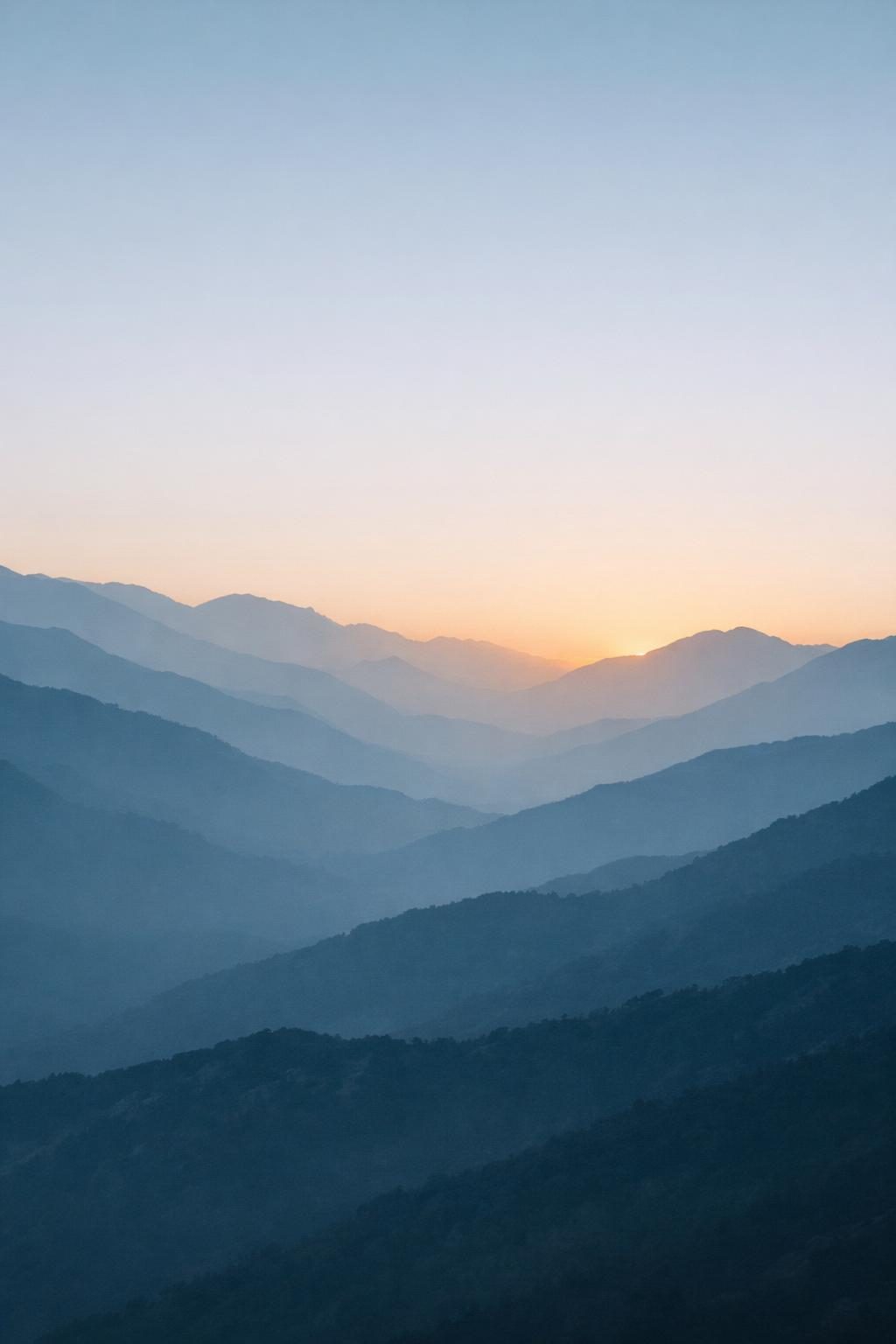
Try this aesthetic wallpaper prompt free →
A vertical 9:16 phone wallpaper of a misty layered mountain range at dawn,
in a minimalist aesthetic.

Output resolution: 4K ultra-high definition, vertical portrait orientation,
1284x2778 pixels, designed for a phone lock screen.
Composition rule: keep the upper third clean and softly gradient-simple so
the clock and notifications stay legible, and keep the lower quarter darker
and low in contrast so home screen icons remain readable. Place the visual
weight in the middle band of the frame.
Lighting: soft dawn light from behind the ridgelines.
Colors: muted blue-grey with a single warm amber accent — cohesive and
limited to three or four tones total, no clashing accents.
Detail: rich at 4K but never busy — the image must survive being viewed at
a glance, behind app icons, at arm's length.
Depth: layered planes receding into atmospheric haze.
Finish: subtle film grain.
Quality: 4K ultra-high definition vertical wallpaper, tack sharp, no
compression artifacts, no text, no watermark, no logos.
What to customize: The minimalist aesthetic slot is where this template earns its range. Swap it for dark academia, cottagecore, Y2K, cyberpunk, or coastal and change the subject to match — these niche aesthetics consistently outperform generic "pretty wallpaper" prompts because they carry a specific, coherent visual grammar the model already understands. Keep the composition and palette-limit rules untouched whatever aesthetic you choose; they are what make the result usable.
Template 2: Dark Minimal OLED Wallpaper
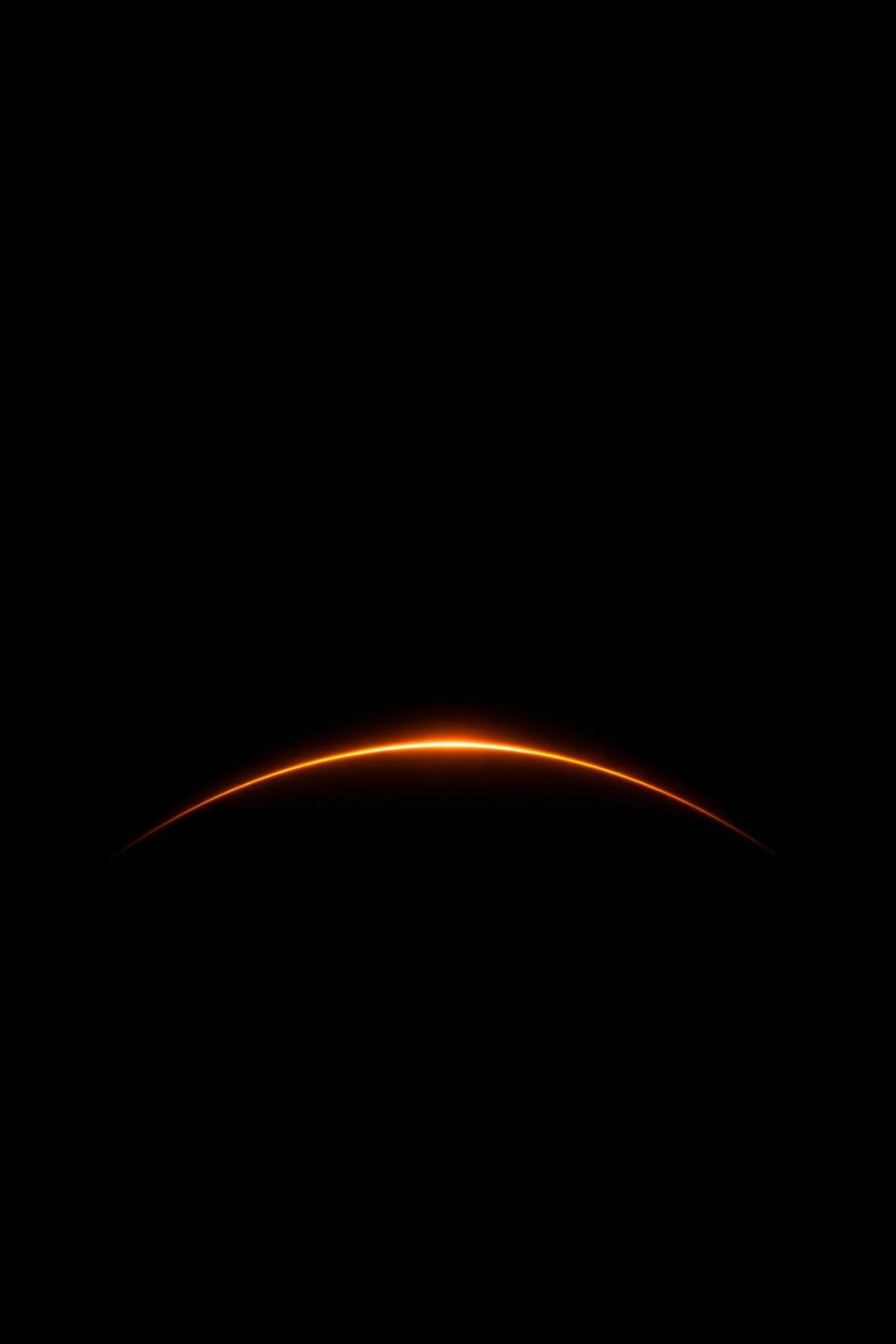
Try this dark OLED wallpaper prompt free →
A vertical 9:16 dark minimal phone wallpaper: a single thin luminous arc
rendered against a true pure black background (#000000) for OLED display.

Output resolution: 4K ultra-high definition, vertical portrait orientation.
Design rule: at least seventy percent of the frame must be pure unlit black —
this is deliberate, both for OLED battery efficiency and so app icons sit
cleanly over the empty areas. The subject occupies only the lower third
of the frame.
Subject treatment: a glowing outline only, illuminated by a soft internal
glow so it emerges from the darkness with a soft glow gradient rather than
a hard cut-out edge.
Accent color: deep amber — used as the single point of color in an otherwise
monochrome black frame. No secondary accents.
Detail: crisp where lit, dissolving cleanly into absolute black where not.
Zero banding in the gradient falloff — smooth 10-bit transitions.
Finish: a subtle bloom around the highlights.
Quality: 4K ultra-high definition vertical wallpaper, pure blacks, no
compression banding, no text, no watermark.
What to customize: Change the accent color to electric cyan, magenta, or emerald, and swap the subject for a lone tree silhouette, a wireframe sphere, or a single geometric shape. Two lines are doing the heavy lifting and should stay: the seventy percent pure unlit black rule, and zero banding in the gradient falloff. Without the banding instruction, dark gradients often render in visible steps that look like cheap compression on a real screen.
Template 3: Sports & Football Wallpaper

Try this sports wallpaper prompt free →
A vertical 9:16 sports phone wallpaper: a lone footballer mid-strike under
stadium floodlights, rendered as a dramatic stadium-atmosphere image.

Output resolution: 4K ultra-high definition, vertical portrait orientation,
designed for a phone lock screen.
Subject: an anonymous football athlete — face not identifiable, shown in
dramatic backlit silhouette — so the image reads as pure atmosphere and
motion rather than any specific individual.
Composition: figure placed in the middle band of the frame; upper third kept
simple for clock legibility; lower quarter darkened for icon readability.
Lighting: hard stadium floodlights from high behind the figure, creating
strong rim light along the figure's edges and deep shadow elsewhere.
Atmosphere: fine night mist and kicked-up turf spray caught in the light
beams as visible volumetric shafts.
Detail at 4K: the boot striking the ball with turf spraying outward sharply
resolved. Grass blade texture and turf line markings crisp where visible.
Colors: emerald green and brilliant floodlight white against near-black.
Motion: frozen at peak action with a hint of directional blur in the limbs.
Quality: 4K ultra-high definition vertical sports wallpaper, cinematic
broadcast-poster energy. No text, no logos, no team badges, no watermark.
What to customize: Swap football for basketball, cricket, tennis, or athletics and adjust the action detail accordingly. Do not replace the anonymous subject with a named player. Beyond the likeness and trademark problems, models render real athletes poorly and inconsistently — the silhouette treatment produces a better image and avoids the issue. The no logos, no team badges exclusion is doing real work here; without it, models tend to hallucinate garbled badge-like shapes onto the kit.
The Wallpaper Keyword Stack
These phrases do specific jobs. Combine them rather than choosing between them:
| Phrase | What it fixes |
|---|---|
vertical 9:16, portrait orientation | Stops square output — the number one failure |
keep the upper third clean | Clock and notifications stay legible |
keep the lower quarter darker | App icons stay readable |
limited to three or four tones | Prevents visual noise behind icons |
rich but never busy | Detail density appropriate to a background |
no text, no watermark, no logos | Removes hallucinated lettering |
zero banding in the gradient falloff | Smooth dark gradients on real screens |
The composition rules matter more than the subject. A mediocre subject composed correctly makes a wallpaper you keep; a beautiful subject composed as a poster makes one you replace within a day.
Related Resources
- Browse all Phone Wallpaper prompts — Every wallpaper template in the library
- Halloween & Holiday Image Prompts — Seasonal wallpapers for Halloween, Christmas and beyond
- Best 4K Prompts for ChatGPT: The Complete List — The hub guide covering all 4K prompt subjects
- ChatGPT 4K Landscape Prompts — Landscape templates that adapt well to vertical wallpaper crops