
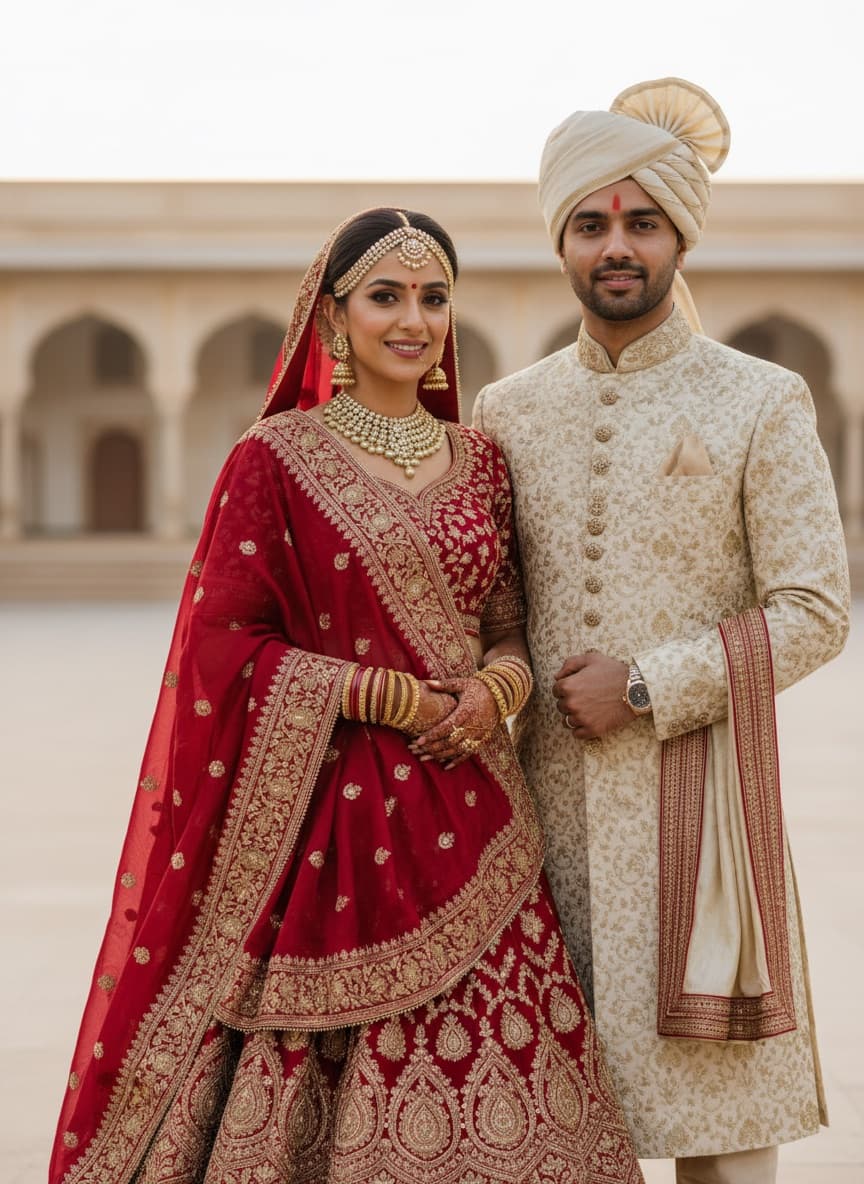
The problem with couple photos
Every failure mode from single-portrait editing gets worse with two people in frame, for one structural reason: the model has twice as much identity to preserve and no reason to weight both equally. Whichever face is smaller, further back, turned away or in shadow drifts first. You get a photo where you look like yourself and your partner looks like a cousin.
Two things fix most of it:
1. Name them by position, not collectively. "Keep the couple's faces the same" is a much weaker instruction than "keep the face of the person on the left and the face of the person on the right both exactly as they are." Gemini treats the second as two constraints instead of one vague one.
2. Change the world, not the people. Background, lighting, outfit and colour grade edits leave faces alone by construction. Prompts that ask for a "romantic couple photoshoot look" invite a full regeneration of both people. The prompts below are all written the first way.
The universal preservation clause — paste this into any couple edit that isn't working:
Keep both people's faces, facial features, skin tones, hairstyles and body proportions exactly as they are in the original photo. The person on the left and the person on the right must both remain clearly recognisable as themselves. Do not beautify, slim, reshape or change the age of either person.
Pre-wedding and engagement
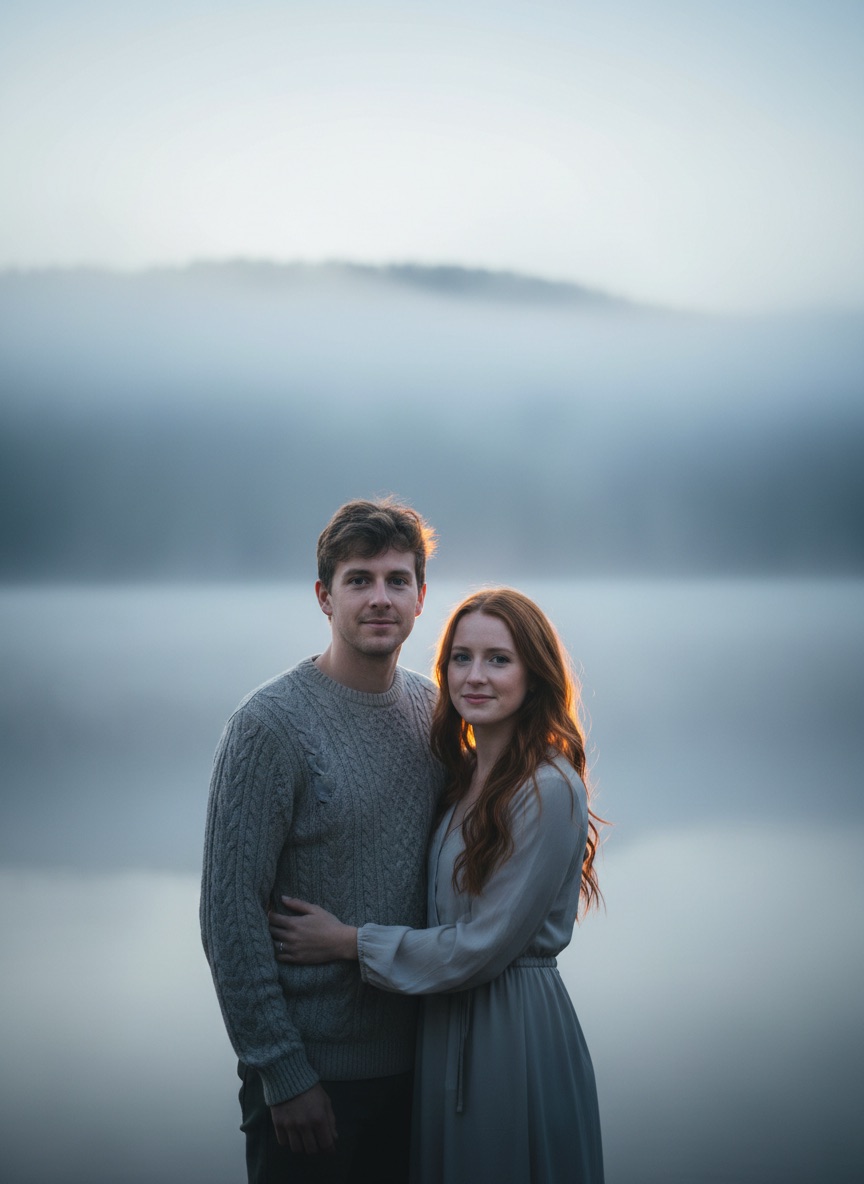
1. Pre-wedding location change
Edit this couple photo: replace the background with [A MISTY LAKESIDE AT SUNRISE WITH DISTANT HILLS]. Keep both people's faces, facial features, skin tones, hairstyles, outfits and poses exactly as they are — the person on the left and the person on the right must both remain clearly recognisable. Relight both subjects to match the new scene: [SOFT COOL DAWN LIGHT FROM BEHIND, WARM RIM LIGHT ON HAIR AND SHOULDERS], with matching shadow direction on both. Shallow depth of field, background softly blurred. Photorealistic, 4K quality.
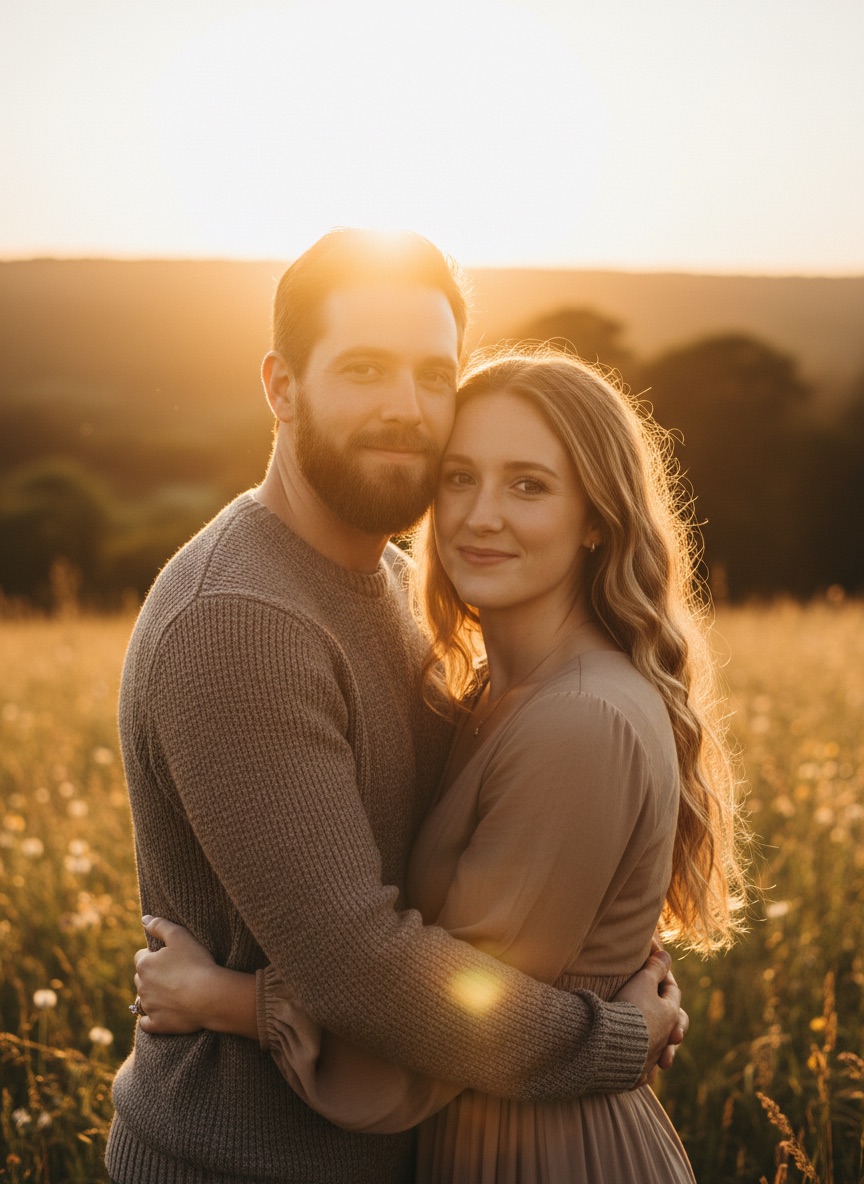
2. Golden hour pre-wedding relight
Relight this couple photo with warm golden hour sunlight coming from behind the couple. Keep both people, their faces, outfits, hairstyles, poses and the background exactly as they are — change only the lighting. Add a warm rim light along both people's hair and shoulders, soft fill on their faces so neither is in shadow, and a gentle warm haze in the air. Realistic light behaviour, no glow effects or lens flares. Both faces clearly recognisable. 4K quality.
3. Cinematic pre-wedding grade
Apply a cinematic colour grade to this couple photo. Keep everything in the frame exactly as it is — both faces, both outfits, poses, composition and background unchanged. Grade with warm amber highlights, soft teal shadows, deepened contrast and filmic highlight rolloff. Preserve skin tones as natural on both people — no orange cast. Preserve detail in shadows and highlights. High dynamic range, 4K quality.
Traditional and festive
4. Traditional Indian wedding wear
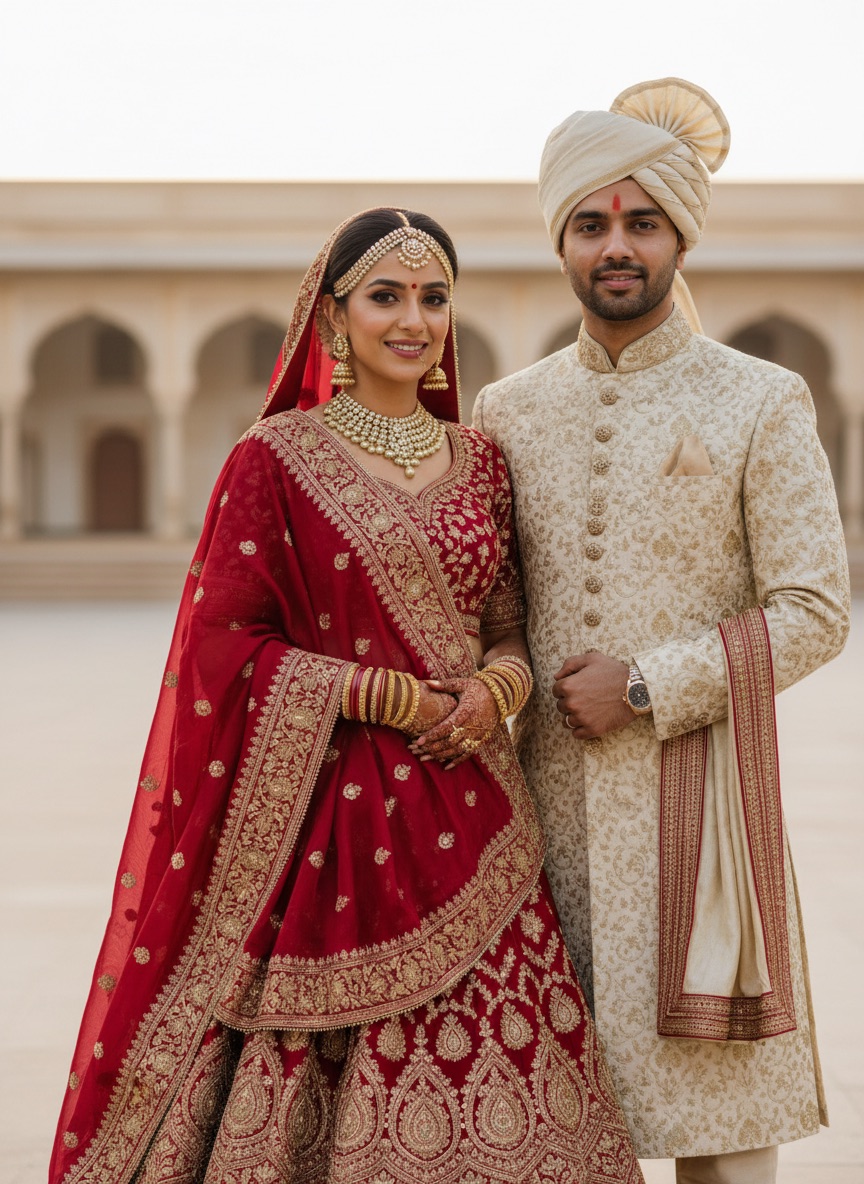
Edit this couple photo: change the outfits to traditional Indian wedding wear. Dress [THE PERSON ON THE RIGHT] in [A DEEP RED SILK LEHENGA WITH GOLD ZARI EMBROIDERY] and [THE PERSON ON THE LEFT] in [A CREAM SILK SHERWANI WITH GOLD DETAILING]. Keep both people's faces, facial features, skin tones, hairstyles, poses and body proportions exactly as they are — both must remain clearly recognisable. Realistic fabric weight, embroidery texture and drape, lit to match the original photo. Keep the background unchanged. Photorealistic, 4K quality.
5. Festive couple portrait
Edit this couple photo for a festive occasion. Change the outfits to [RICH JEWEL-TONE FESTIVE CLOTHING WITH GOLD DETAILING] suited to each person. Replace the background with [A WARMLY LIT COURTYARD WITH OIL LAMPS AND MARIGOLD GARLANDS], softly blurred. Keep both people's faces, features, skin tones, hairstyles and poses exactly as they are — both clearly recognisable. Relight both subjects with warm golden lamp light matching the scene. Photorealistic, 4K quality.
6. Traditional South Indian wear
Edit this couple photo: change the outfits to traditional South Indian wear. Dress [THE PERSON ON THE RIGHT] in [A KANJEEVARAM SILK SAREE IN DEEP TEAL WITH A GOLD BORDER] and [THE PERSON ON THE LEFT] in [A CREAM SILK VESHTI WITH A GOLD BORDER AND AN ANGAVASTRAM]. Keep both faces, features, skin tones, hairstyles, poses and proportions exactly as in the original — both clearly recognisable. Realistic silk sheen, fabric weight and drape. Keep the background and lighting unchanged. Photorealistic, 4K.
Retro and stylised
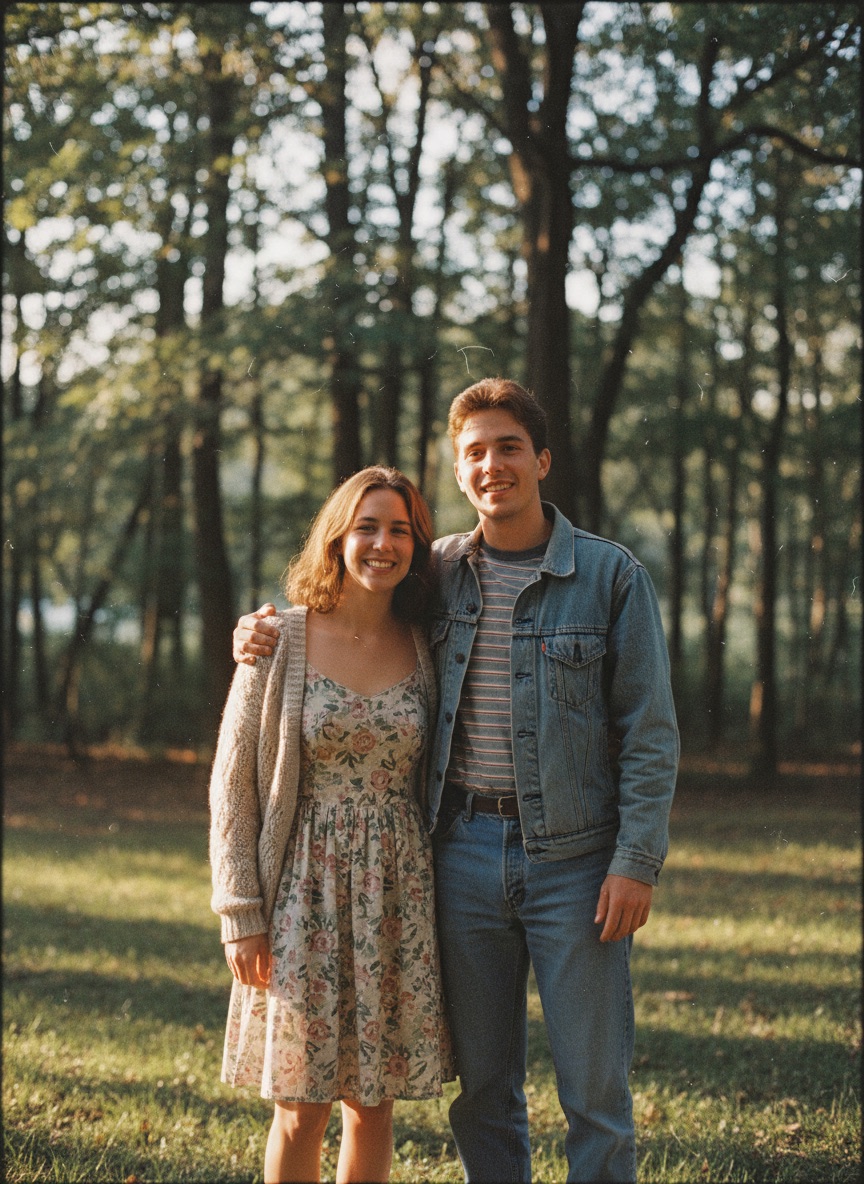
7. Retro film couple portrait
Restyle this couple photo as a [1990s] film photograph. Keep both people's faces, features, expressions, hairstyles, outfits and poses exactly as they are — both must remain clearly recognisable. Apply [KODAK PORTRA 400] colour science: warm skin tones on both people, slightly muted greens, gentle highlight rolloff. Add fine natural film grain and slight edge softness. No fake light leaks or heavy vignetting. Realistic film photograph, not a filter.
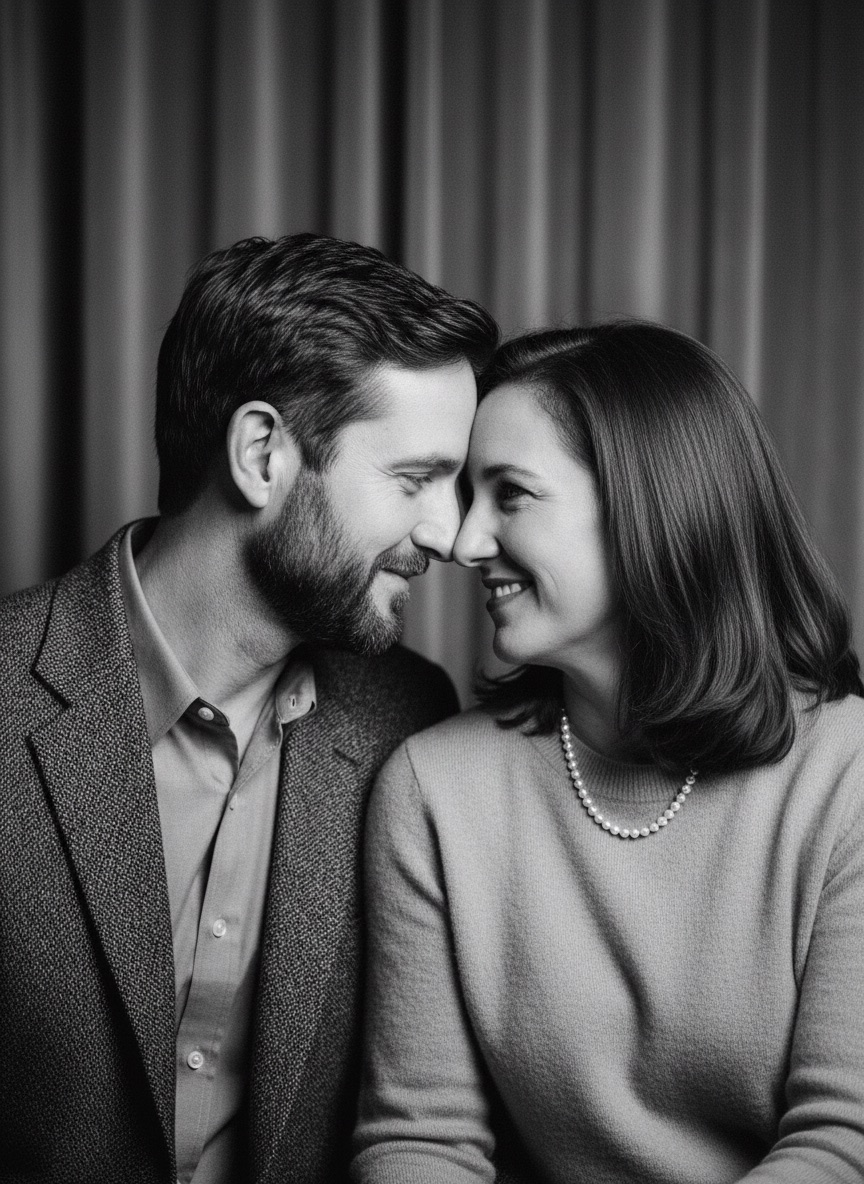
8. Vintage black and white
Convert this couple photo to a classic black and white portrait. Keep both faces, features, expressions, hairstyles, outfits, poses and the composition exactly as they are — both clearly recognisable. Rich tonal range with true blacks and clean whites, strong midtone contrast on both faces, preserved detail in shadows and highlights. Fine natural grain. Timeless monochrome portrait photography, 4K quality.
9. Illustrated couple portrait
Restyle this couple photo as [A SOFT WATERCOLOUR ILLUSTRATION]. Keep both people clearly recognisable — same face shapes, features, hairstyles, expressions, outfit colours and poses for each. Keep the composition identical. Visible brush texture, soft colour bleeds, light paper grain. Do not add or remove anyone or anything from the scene. High detail, clean finish.
Practical fixes
10. Background swap, studio
Edit this couple photo: replace the background with a clean neutral grey studio backdrop with a soft gradient. Keep both people exactly as they are — same faces, features, skin tones, hairstyles, outfits, poses and proportions, both clearly recognisable. Match the edge lighting on both people's hair and shoulders to the new backdrop so neither cutout looks pasted. Soft studio key light from the front-left. Sharp, 4K quality.
11. Fix uneven lighting on two faces
Fix the lighting in this couple photo. Keep both people, their faces, features, hairstyles, outfits, poses and the background exactly as they are — change only the lighting. Even out the light across both faces so neither person is in shadow or overexposed, match the colour temperature on both, and keep the light direction consistent with the scene. Natural skin texture on both, no smoothing. Photorealistic, 4K.
12. Restore an old couple photograph
Restore this old couple photograph. Repair scratches, creases, tears, dust and fading, correct the colour cast, and rebuild faded detail in both faces and both outfits. Keep both people's faces, features and expressions exactly as they are — do not beautify, reshape, slim or modernise either person, and keep both clearly recognisable. Keep the original composition and the period-accurate look of the clothing and setting. Sharp, natural, 4K quality.
When one face still drifts
Work in two passes. Ask for the edit while explicitly protecting the face that keeps breaking:
Edit this photo: [YOUR CHANGE]. Leave [THE PERSON ON THE LEFT] completely untouched — do not alter their face, hair, outfit or position in any way.
Accept that result, then run a second message for the other person. Two clean passes beat five attempts at one prompt, and Gemini's conversational editing means the second pass builds on the first rather than starting over.
If both faces keep drifting no matter what, the source resolution is usually too low. Gemini reconstructs what it cannot resolve — and a face that is 80 pixels wide gets reconstructed, not preserved. Start from the largest original you have.
Related guides
- Gemini Photo Editing Prompts: the full guide — the 4-part structure behind all of these
- Google Gemini AI Photo Editing Prompts to Copy and Paste — 30 paste-ready blocks
- Diwali and Navratri AI Photo Editing Prompts — festival couple portraits included
- ChatGPT 4K Wedding Photography Prompts — the generation-side wedding prompts
- Browse all image prompt templates — 140+ prompts by category