
How to use these
- Open the Gemini app or gemini.google.com and sign in.
- Upload your photo using the image or plus icon.
- Paste one prompt into the same message as the photo.
- Send.
Two rules that prevent almost every failure: the photo and the prompt go in the same message, and paste one prompt at a time. If you want a second change, ask for it as a follow-up message — Gemini will edit the result rather than starting over.
Nothing below needs filling in. Where a prompt has [BRACKETS], it still works as-is — swapping in your own detail just makes it better.
Portraits and people
Enhance a portrait
Enhance this portrait photo. Keep the person's face, features, skin tone, hairstyle, expression and clothing exactly as they are. Improve the lighting so the face is evenly lit, sharpen the eyes and hair, remove noise and compression artifacts, and correct the colour balance. Keep natural skin texture with visible pores — no smoothing. Photorealistic, 4K quality.
Fix a dark or underexposed photo
Fix the exposure in this photo. Keep the subject, face, pose, outfit and background exactly as they are. Brighten the underexposed areas, recover detail hidden in the shadows without flattening the image, keep the highlights from blowing out, and correct the colour balance. Natural, realistic result. 4K quality.
Sharpen a blurry photo
Sharpen and repair this blurry photo. Keep the subject's face, features, pose and the composition exactly as they are — reconstruct detail, do not invent a different person. Remove motion blur and focus softness, recover detail in the eyes, hair and fabric, reduce noise while keeping natural grain. No halos or over-sharpening. Photorealistic, 4K.
Professional headshot
Turn this photo into a professional corporate headshot. Keep the face, features and hairstyle exactly as they are. Replace the clothing with a well-fitted navy blazer over a white shirt. Background: soft neutral grey, slightly blurred. Even flattering studio lighting with a catchlight in the eyes. Natural skin texture, no smoothing. Sharp, LinkedIn-ready, 4K.
Passport-style photo
Convert this photo into a passport-style portrait. Keep the face, features, skin tone and hairstyle exactly as they are. Plain white background, subject centred and facing forward, head and shoulders framing, even frontal lighting with no shadows on the face or background, neutral expression preserved from the original. Sharp, 4K quality.
Whole-family group photo cleanup
Clean up this group photo. Keep every person's face, expression, pose and clothing exactly as they are — do not alter anyone's appearance. Even out the lighting so nobody is in shadow, remove distracting background clutter, correct the colour balance and sharpen the whole frame. Natural skin texture on everyone. Sharp, 4K quality.
Backgrounds
Plain studio background
Replace the background in this photo with a clean neutral grey studio backdrop with a soft gradient. Keep the person exactly as they are — same face, pose, hairstyle, clothing and proportions. Match the edge lighting on the hair and shoulders to the new backdrop so the cutout looks natural. Soft key light from the front-left. Sharp, 4K.
Pure white background
Replace the background in this photo with pure white. Keep the subject completely unchanged — face, pose, outfit and proportions identical to the original. Clean, precise edges around hair and clothing with no halo or fringing. Add a soft natural shadow beneath the subject so they are grounded, not floating. Sharp, 4K quality.

Outdoor scene
Replace the background in this photo with a sunlit cobblestone street in an old European town. Keep the person unchanged — face, pose, hairstyle, outfit and proportions exactly as in the original. Relight the subject to match: warm late-afternoon sun from the right, matching shadow direction and colour temperature. Shallow depth of field, background softly blurred. Photorealistic, 4K.
Blur the background
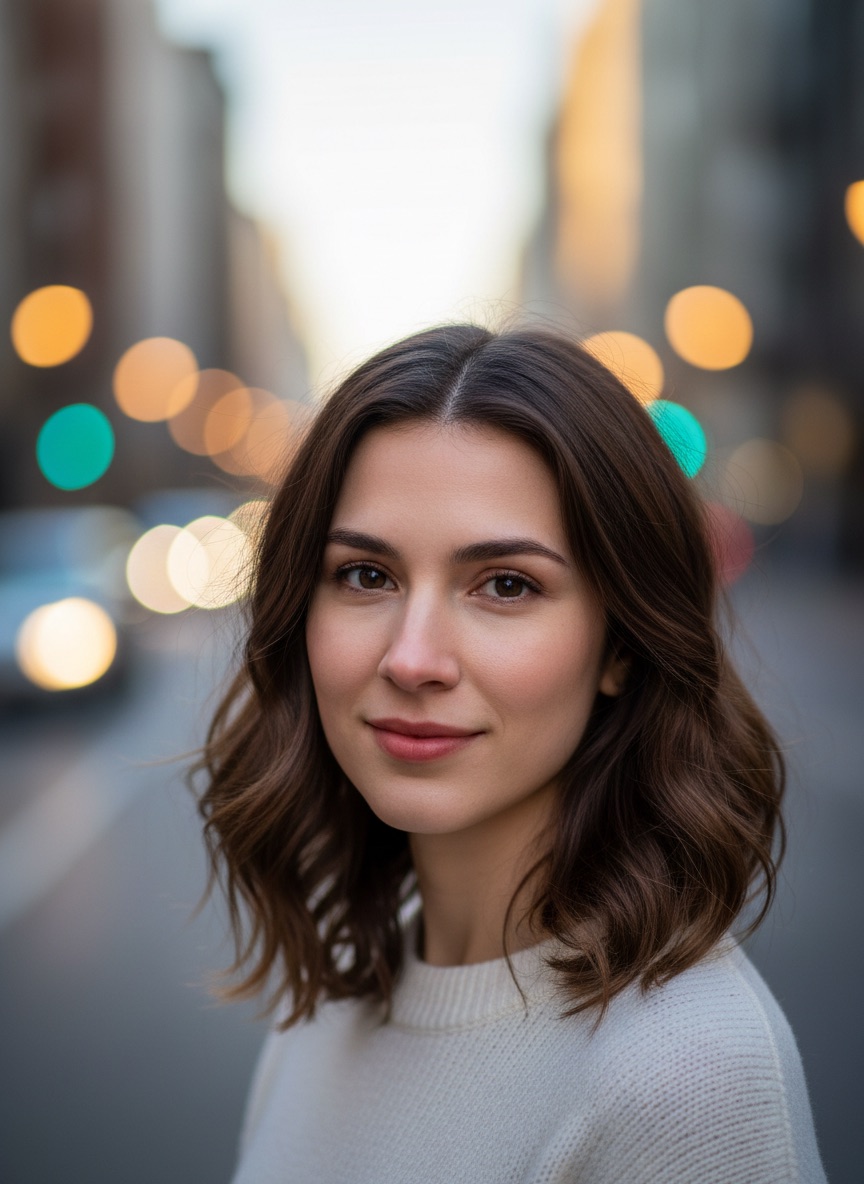
Blur the background of this photo to create a shallow depth of field effect. Keep the subject completely sharp and unchanged — same face, pose, outfit and position. Apply a smooth, natural lens blur that increases with distance, with realistic round bokeh on any bright points. The edge between subject and background must be clean and natural, especially around hair. 4K quality.
Remove background clutter
Remove the clutter and distracting objects from the background of this photo. Keep the subject completely unchanged — face, pose, outfit and position identical. Fill the cleared areas with a plausible continuation of the existing background so the result looks like the room was simply tidy. Keep the original lighting and colour. Photorealistic, 4K.
Outfits and styling
Change the outfit
Change the outfit in this photo to a cream linen shirt and beige trousers. Keep the person's face, hairstyle, skin tone, pose, body proportions and the background exactly as they are. The new clothing should fit naturally with realistic fabric folds and drape, matching the existing lighting direction and shadows. Photorealistic, 4K.
Formal wear
Change the outfit in this photo to formal evening wear appropriate to the person. Keep the face, hairstyle, skin tone, pose, proportions and background exactly as in the original. Realistic fabric texture, natural drape and fit, shadows and highlights matching the existing light. Do not change the person's body shape. Photorealistic, 4K.
Traditional Indian wear
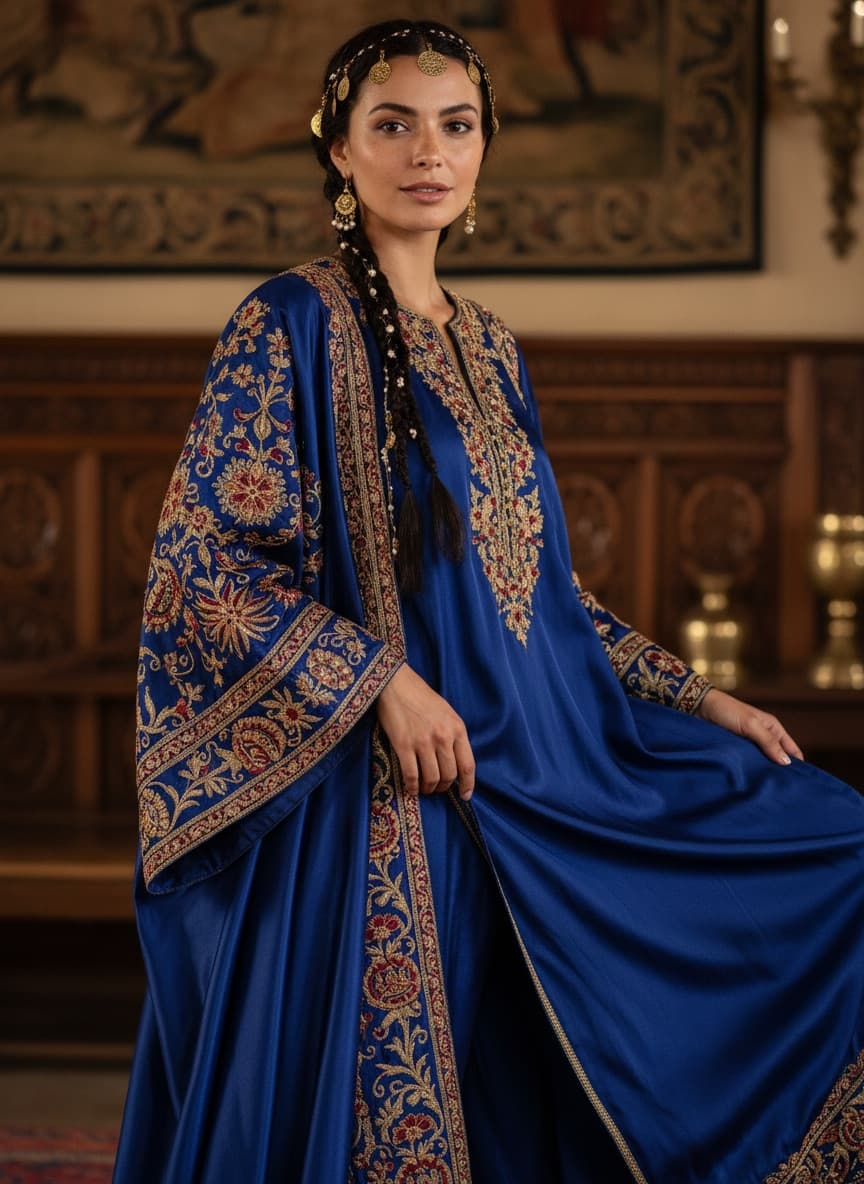
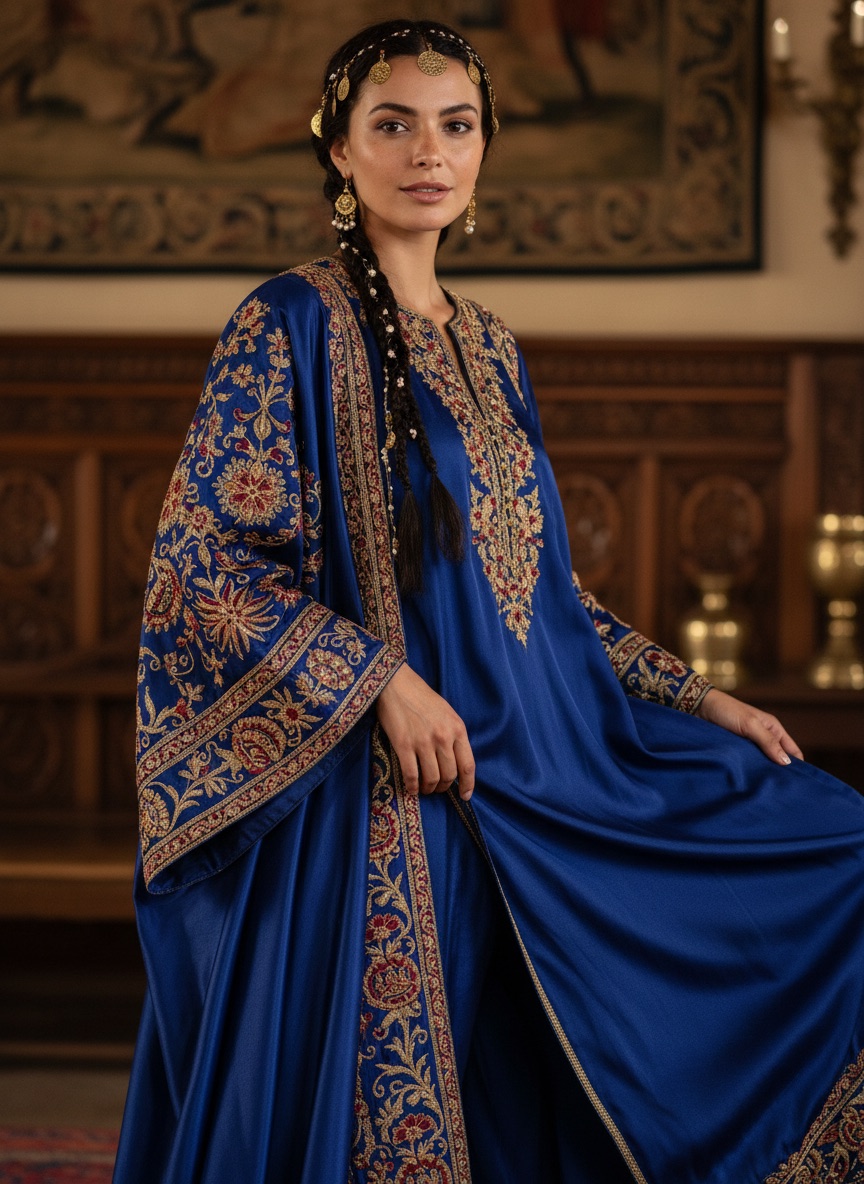
Change the outfit in this photo to traditional Indian wear — a richly embroidered silk outfit in deep jewel tones with gold detailing. Keep the person's face, features, skin tone, hairstyle, pose and proportions exactly as they are. Realistic fabric weight, embroidery texture and drape, lit to match the original photo. Photorealistic, 4K quality.
Change hair colour
Change the hair colour in this photo to a natural dark chestnut brown. Keep everything else exactly as it is — same face, features, skin tone, hairstyle and cut, same outfit, same background. The new colour should have realistic variation, natural highlights and correct shine matching the existing lighting. Photorealistic, 4K.
Looks and styles
Retro film photograph
Restyle this photo as a 1990s film photograph. Keep the person's face, features and pose exactly as they are. Apply Kodak Portra 400 colour science: warm skin tones, slightly muted greens, gentle highlight rolloff. Add fine natural film grain and slight softness at the frame edges. No fake light leaks or heavy vignetting. Realistic film photograph, not a filter.
Cinematic colour grade
Apply a cinematic colour grade to this photo. Keep everything in the frame exactly as it is — same face, subject, composition and background. Teal shadows, warm amber highlights, deepened contrast, filmic highlight rolloff. Preserve detail in both shadows and highlights. High dynamic range, 4K quality.
Golden hour light
Relight this photo with soft golden hour sunlight coming from the left. Keep the person, face, outfit, pose and background exactly as they are — change only the lighting. Add a warm rim light along the hair and shoulder on the lit side, soften the opposite shadows, warm the overall colour temperature slightly. Realistic light behaviour, no glow effects. 4K.
Black and white
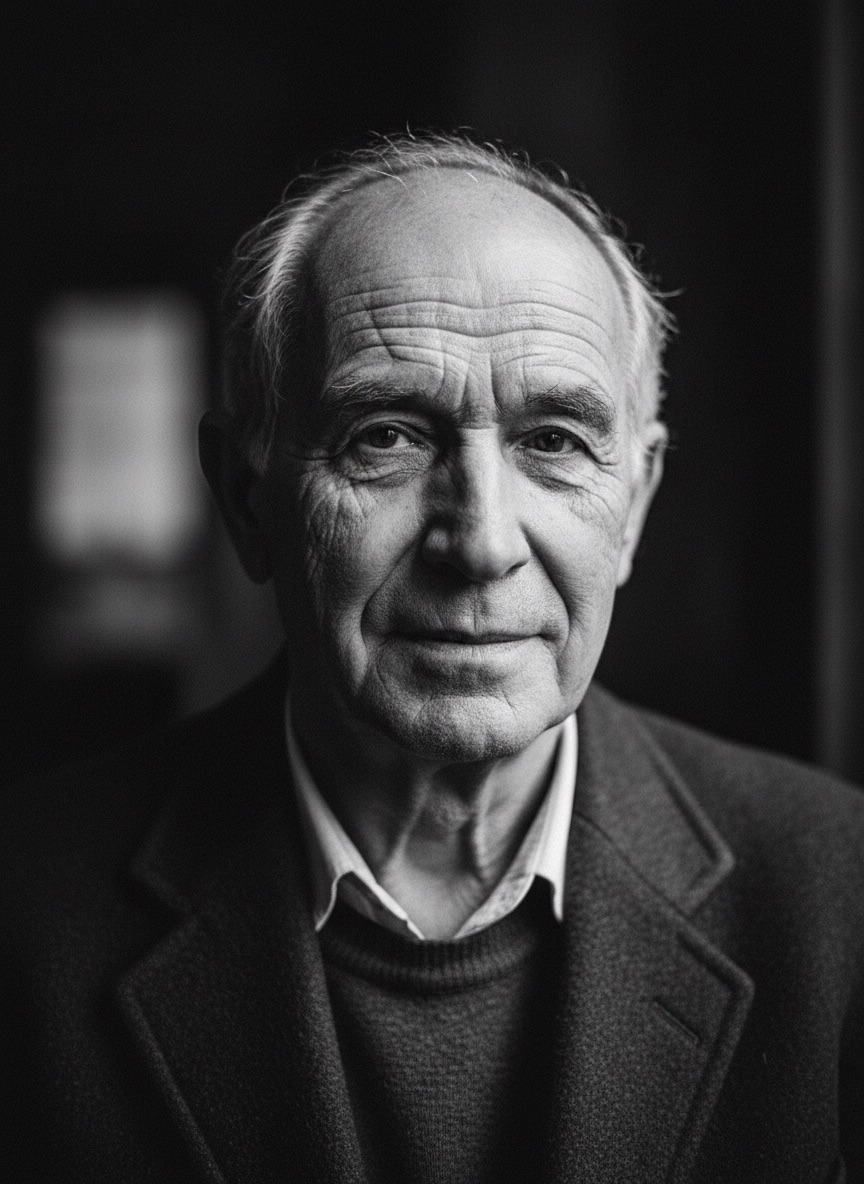
Convert this photo to black and white. Keep the subject, face, pose, composition and every detail exactly as they are. Rich tonal range with true blacks and clean whites, strong midtone contrast on the face, and preserved detail in both shadows and highlights. Fine natural grain. Classic monochrome photography, 4K quality.
Watercolour illustration
Restyle this photo as a soft watercolour illustration. Keep the person recognisable — same face shape, features, hairstyle, expression and pose. Keep the composition identical. Visible brush texture, soft colour bleeds, light paper grain. Do not add or remove anything from the scene. High detail, clean finish.
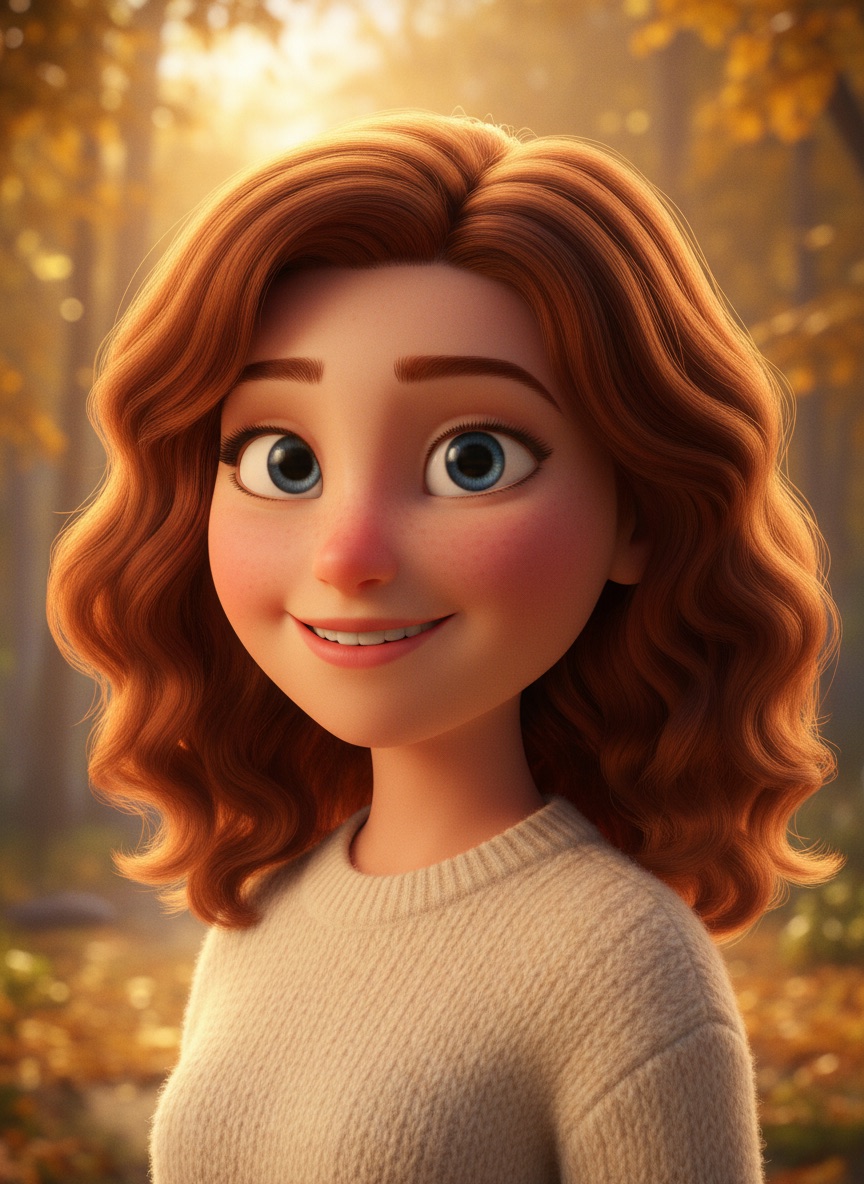
3D animated character style
Restyle this photo as a 3D animated character in a modern feature-film style. Keep the person clearly recognisable — same face shape, hairstyle, expression, outfit colours and pose. Soft rounded stylisation, warm cinematic lighting, subtle subsurface scattering on the skin, clean rendered finish. Keep the composition identical. High detail.
Restoration
Restore an old photo
Restore this old photograph. Repair scratches, creases, tears, dust and fading. Correct the colour cast and rebuild faded detail in the faces and clothing. Keep every person's face, features and expression exactly as they are — do not beautify, reshape or modernise anyone. Keep the original composition and the period-accurate look. Sharp, natural, 4K quality.
Colourise a black and white photo
Colourise this black and white photograph. Keep every face, feature, expression and compositional detail exactly as it is. Use realistic, period-accurate colours: natural skin tones, believable fabric colours for the era, accurate colours for the setting. Avoid oversaturation — it should look like a colour photograph from the time, not a modern digital image. Sharp, 4K.
Repair a torn or damaged photo
Repair the physical damage in this photograph — tears, missing corners, creases, water stains and mould spots. Reconstruct the missing areas using the surrounding detail so the repair is invisible. Keep every face, feature and expression exactly as they are. Keep the original tonality and period character. Sharp, natural, 4K quality.
Remove noise and grain
Remove digital noise and colour speckling from this photo. Keep the subject, face, pose, composition and background exactly as they are. Reduce noise while preserving real detail and fine texture in skin, hair and fabric — do not smooth the image into plastic. Keep a small amount of natural grain. Sharp, photorealistic, 4K.
Products and objects
E-commerce product shot
Place this product on a clean pure white background with a soft natural shadow beneath it. Keep the product exactly as it is — same shape, colour, labels, text and surface texture, no design changes. Even soft studio lighting with a subtle highlight along the top edge. Razor-sharp edges, accurate colour, e-commerce ready, 4K quality.
Lifestyle product scene
Place this product in a warm lifestyle scene on a light oak table with soft natural window light from the left and a softly blurred home interior behind. Keep the product exactly as it is — same shape, colour, labels and text, no design changes. Realistic contact shadow and reflection on the table surface. Photorealistic, 4K quality.
Add legible text to an image
Add the text "SALE" in a clean bold sans-serif onto the sign in this image. The text must be spelled exactly as written and fully legible. Match the perspective, curvature, lighting and shadow of the surface so it looks physically printed there, not overlaid. Keep everything else in the photo unchanged. Sharp, 4K quality.
Remove an unwanted object
Remove the unwanted object from this photo and fill the space with a plausible continuation of the surrounding scene. Keep everything else exactly as it is — same subject, face, pose, lighting and composition. The repair must be seamless, with matching texture, perspective and lighting. Photorealistic, 4K quality.
Change the colour of one object
Change the colour of the main object in this photo to deep emerald green. Keep everything else exactly as it is — same shape, texture, material, lighting, shadows, reflections, subject and background. The new colour must respond correctly to the existing light, with realistic highlights and shading. Photorealistic, 4K quality.
If a prompt does not work
| What happened | Cause | Fix |
|---|---|---|
| Nothing changed | Photo not attached to the same message | Re-upload and paste the prompt with it |
| Face became a different person | No preservation clause, or too many changes at once | One change per prompt; add "keep the face exactly as it is" |
| Only part of the prompt applied | More than 3-4 instructions | Split into follow-up messages |
| Skin looks plastic | Words like "flawless" or "perfect" | Add "natural skin texture with visible pores, no smoothing" |
| Refused the edit | Real identifiable person, altering appearance | Try background, lighting or style edits instead |
More Gemini prompt sets
- Gemini Photo Editing Prompts: the full guide — the 4-part structure and why these work
- Gemini Couple Photo Editing Prompts — two-person edits
- Nano Banana Prompts for Men — grooming, outfits and headshots
- Diwali and Navratri AI Photo Editing Prompts — festival portraits
- Browse all image prompt templates — 140+ prompts by category