
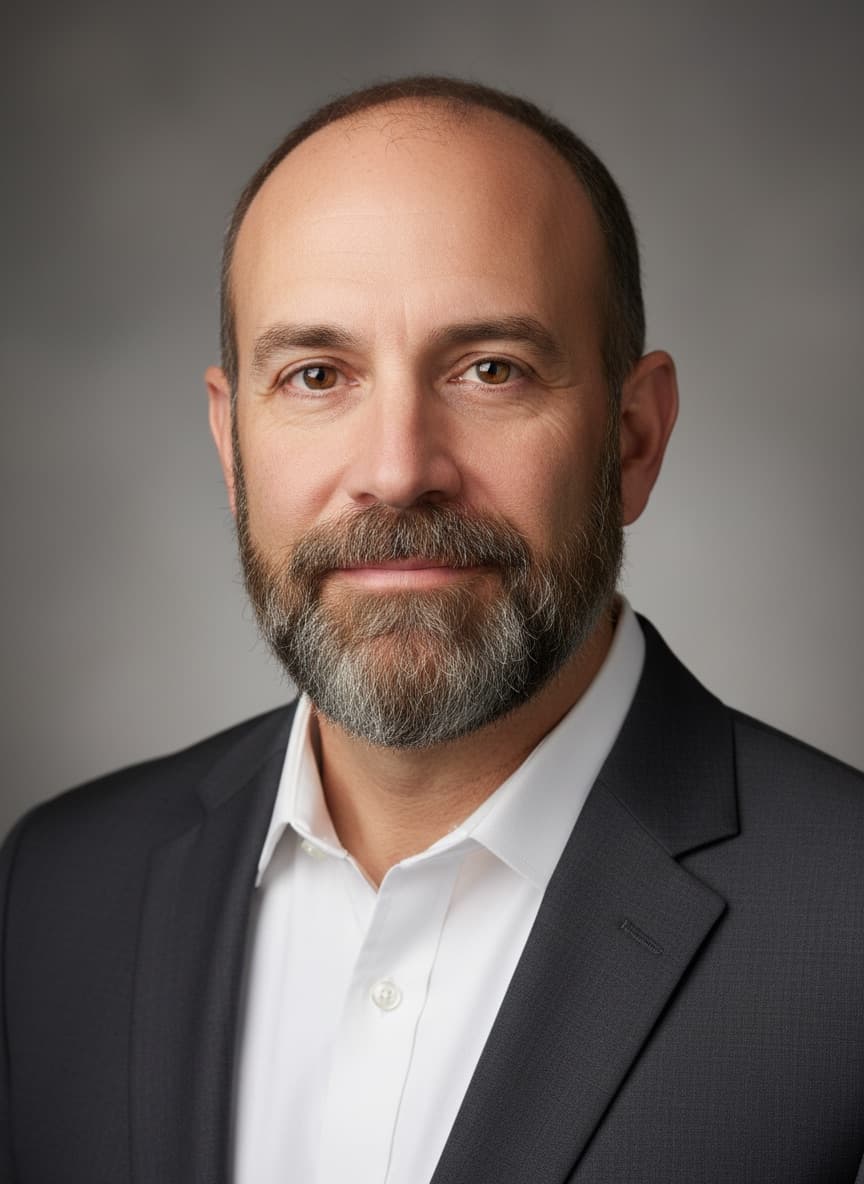
What is different about men's portrait edits
Two failure modes show up far more often on men's photos than women's, and both are fixable in the prompt.
Skin texture gets erased. Beauty-retouching bias in image models means stubble, pores, lines and skin detail are the first things smoothed away — and on a man's face the result reads as obviously fake much faster. Every prompt below includes an explicit texture-preservation clause. Do not remove it.
The jawline quietly changes. Ask for a beard edit and the model often "helpfully" adjusts the jaw and cheek structure to suit it. The fix is naming the bones: "keep the face shape, jawline, cheekbones, nose and eyes exactly as they are."
The universal clause for men's edits:
prompt
Keep the face, facial features, face shape, jawline, eyes, nose, skin tone and hairstyle exactly as they are in the original photo. Keep natural skin texture with visible pores, stubble and skin detail — no smoothing, no airbrushing, no beauty filter. Do not slim, reshape or change the age of the person.
Headshots and professional
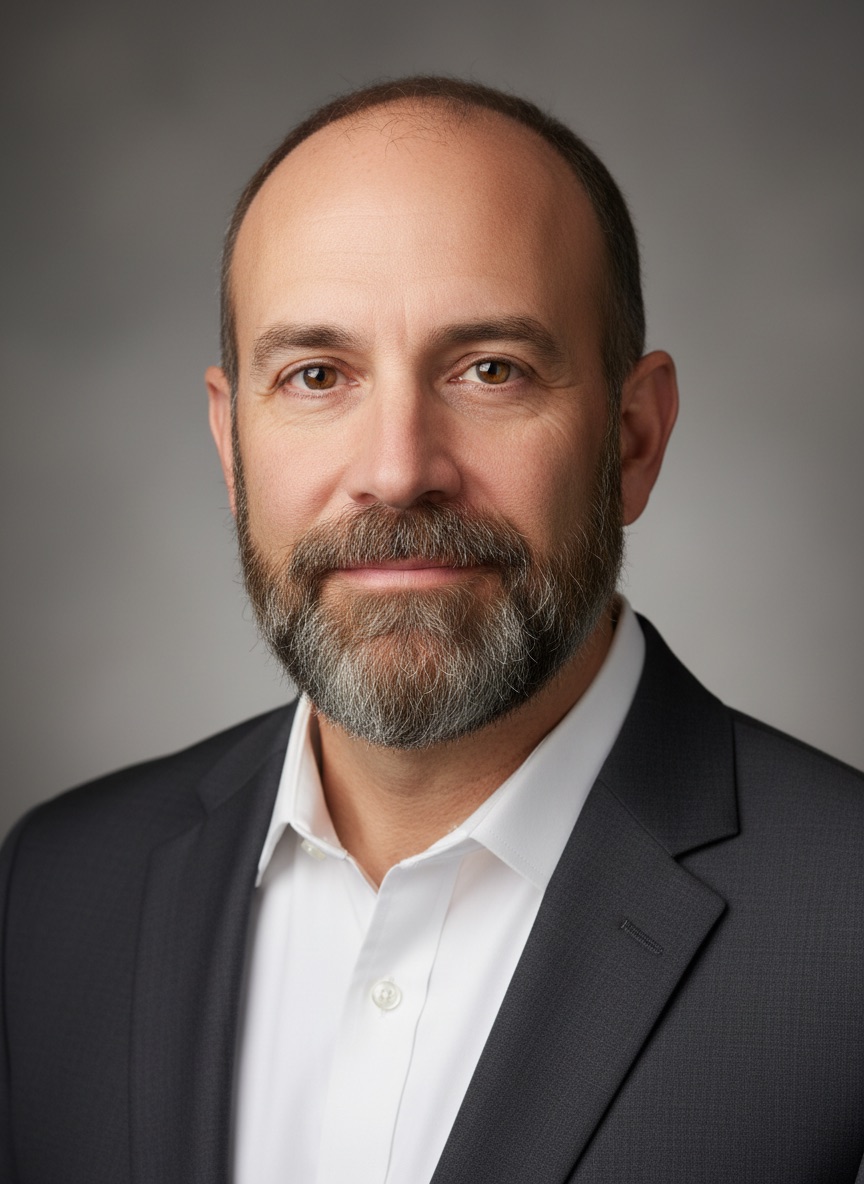
1. Corporate headshot
prompt
Turn this photo into a professional corporate headshot. Keep the face, facial features, face shape, jawline, skin tone, beard and hairstyle exactly as they are. Replace the clothing with [A WELL-FITTED CHARCOAL SUIT OVER A CRISP WHITE SHIRT]. Background: soft neutral grey, slightly blurred. Even flattering studio lighting with a soft catchlight in the eyes. Keep natural skin texture with visible pores and stubble — no smoothing. Sharp, LinkedIn-ready, 4K quality.
2. Business casual headshot
prompt
Turn this photo into a business casual professional portrait. Keep the face, features, face shape, jawline, skin tone, beard and hairstyle exactly as they are. Replace the clothing with [A NAVY CREW-NECK SWEATER OVER A LIGHT BLUE COLLARED SHIRT]. Background: a softly blurred modern office interior with warm natural light. Lighting: soft window light from the front-left. Natural skin texture, no smoothing. Sharp, 4K quality.
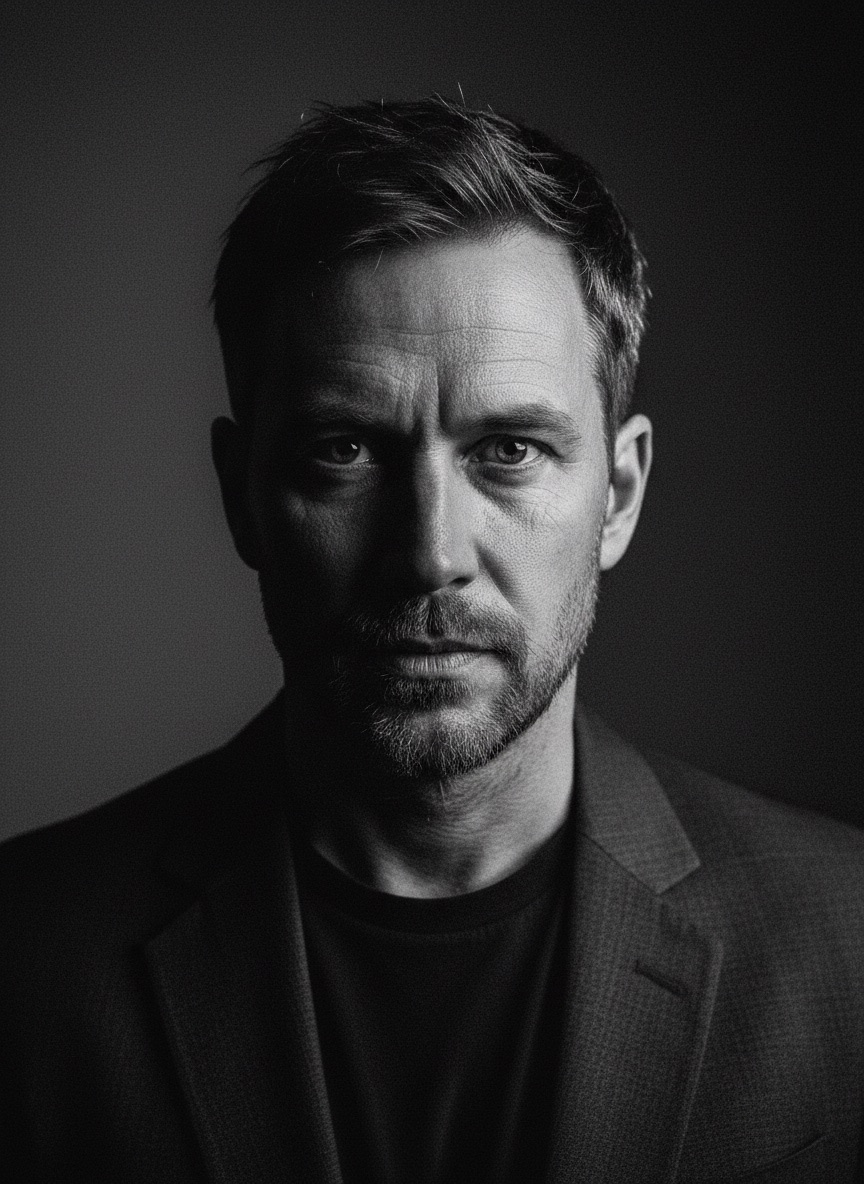
3. Editorial black and white portrait
prompt
Convert this portrait to a dramatic editorial black and white photograph. Keep the face, features, face shape, jawline, expression, beard and hairstyle exactly as they are. Strong directional side lighting with deep shadow on one side of the face, rich true blacks, clean highlights, and preserved detail in the shadows. Keep visible skin texture, pores and stubble — this should look like a real editorial portrait, not a smoothed filter. Fine natural grain, 4K quality.
Grooming: beard and hair
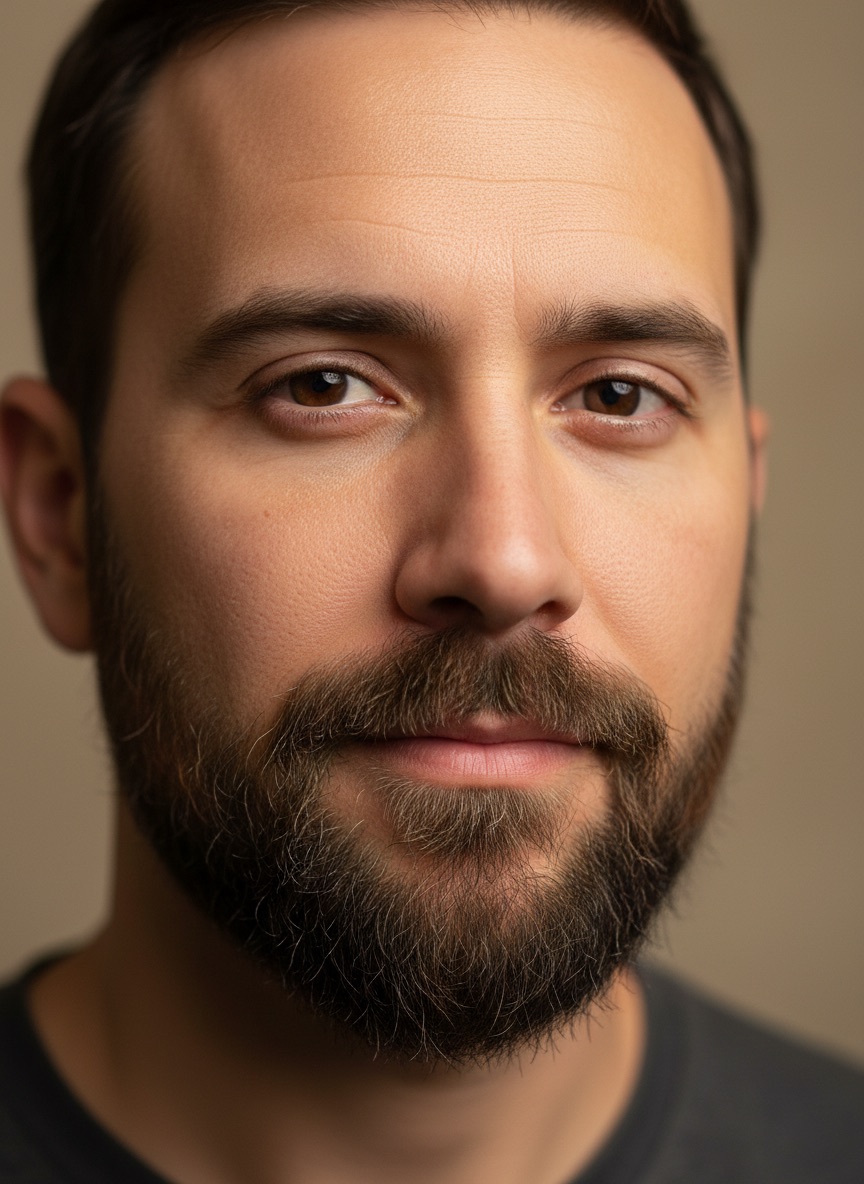
4. Beard style change
prompt
Edit this photo: change the beard to [A NEATLY TRIMMED SHORT BOXED BEARD WITH A DEFINED CHEEK LINE AND NATURAL DENSITY]. Keep the face shape, jawline, cheekbones, nose, eyes, mouth, skin tone and hairstyle exactly as they are — do not adjust the facial structure to suit the beard. Realistic hair density and direction, natural colour variation matching the existing hair, correct shadow where the beard meets the skin. Natural skin texture. Photorealistic, 4K quality.
5. Clean shaven
prompt
Edit this photo: remove the facial hair completely, leaving a clean-shaven face. Keep the face shape, jawline, cheekbones, nose, eyes, mouth, skin tone and hairstyle exactly as they are — do not reshape the jaw now that it is visible. Reconstruct the skin under the beard realistically, with natural tone, faint shadow where the hair was, and visible pores. No smoothing. Photorealistic, 4K quality.
6. Hairstyle change
prompt
Edit this photo: change the hairstyle to [A SHORT TEXTURED CROP WITH A FADED SIDE AND NATURAL MOVEMENT ON TOP]. Keep the face, facial features, face shape, jawline, skin tone, beard and expression exactly as they are. Keep the hair colour the same as the original. Realistic hair density, direction and shine matching the existing lighting, with a natural hairline. Keep the background unchanged. Photorealistic, 4K quality.
7. Hair colour change
prompt
Edit this photo: change the hair colour to [A NATURAL DARK ASH BROWN]. Keep everything else exactly as it is — same face, features, jawline, skin tone, hairstyle, cut, beard, outfit and background. The new colour should have realistic variation, natural highlights and correct shine matching the existing lighting, including the beard if it should match. Photorealistic, 4K quality.
Outfits
8. Formal suit
prompt
Edit this photo: change the outfit to [A TAILORED BLACK THREE-PIECE SUIT WITH A WHITE SHIRT AND A DARK TIE]. Keep the face, features, face shape, jawline, skin tone, hairstyle, beard, pose, body proportions and the background exactly as they are. The suit should fit naturally with realistic fabric drape, shoulder line and lapel structure, and shadows matching the existing lighting. Do not change the body shape. Photorealistic, 4K quality.
9. Traditional Indian wear
prompt
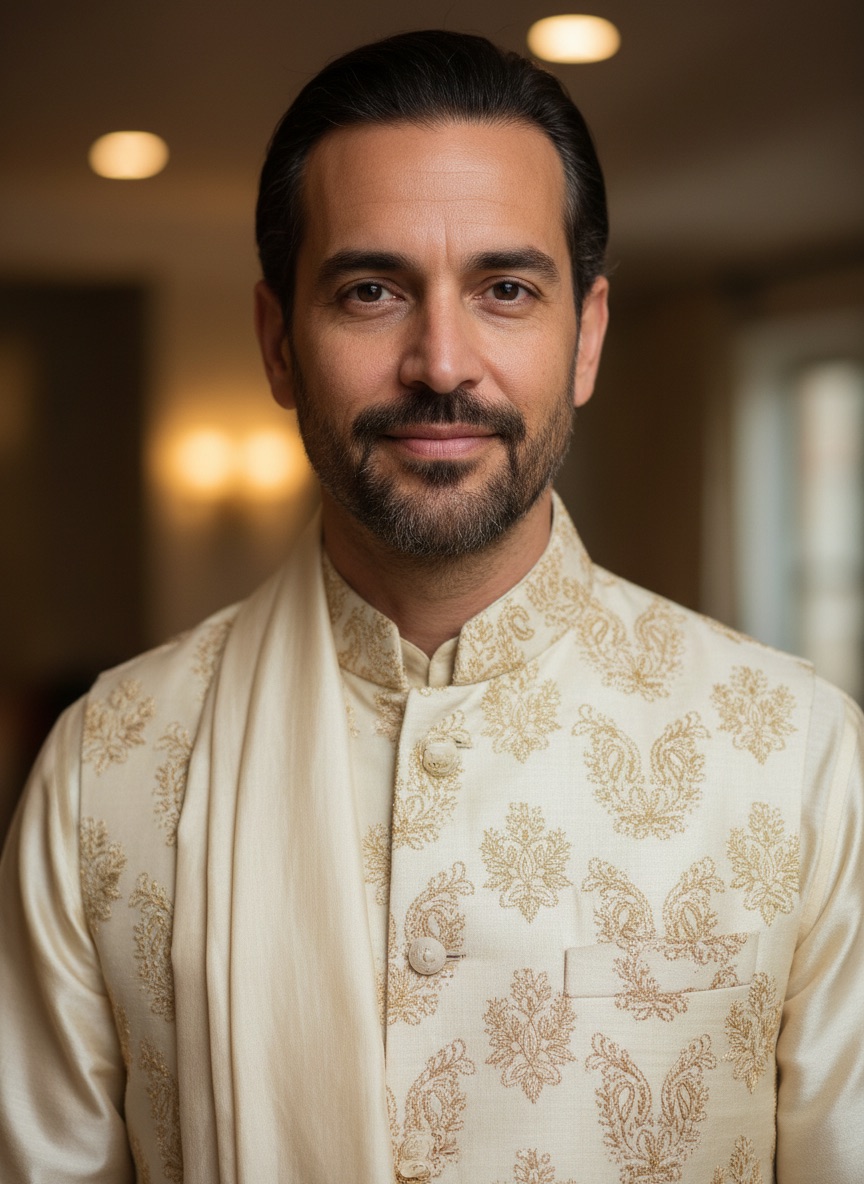
Edit this photo: change the outfit to traditional Indian wear — [A CREAM SILK KURTA WITH SUBTLE GOLD EMBROIDERY AND A MATCHING NEHRU JACKET]. Keep the face, features, face shape, jawline, skin tone, hairstyle, beard, pose and proportions exactly as they are. Realistic silk sheen, fabric weight, embroidery texture and drape, lit to match the original photo. Keep the background unchanged. Photorealistic, 4K quality.
10. Smart casual
prompt
Edit this photo: change the outfit to [A FITTED OLIVE FIELD JACKET OVER A PLAIN WHITE T-SHIRT WITH DARK JEANS]. Keep the face, features, jawline, skin tone, hairstyle, beard, pose, proportions and the background exactly as they are. Realistic fabric texture and drape with natural folds, matching the existing light direction and shadows. Photorealistic, 4K quality.
Looks and settings
11. Gym and physique lighting
prompt
Relight this photo with [HARD DIRECTIONAL SIDE LIGHTING FROM THE LEFT] to emphasise muscle definition and form. Keep the person, face, features, jawline, hairstyle, beard, pose, body and background exactly as they are — change only the lighting. Strong highlight on the lit side, deep but detailed shadow on the other, cool neutral colour temperature. Keep natural skin texture and detail. Do not reshape the body. Photorealistic, 4K quality.
12. Cinematic street portrait
prompt
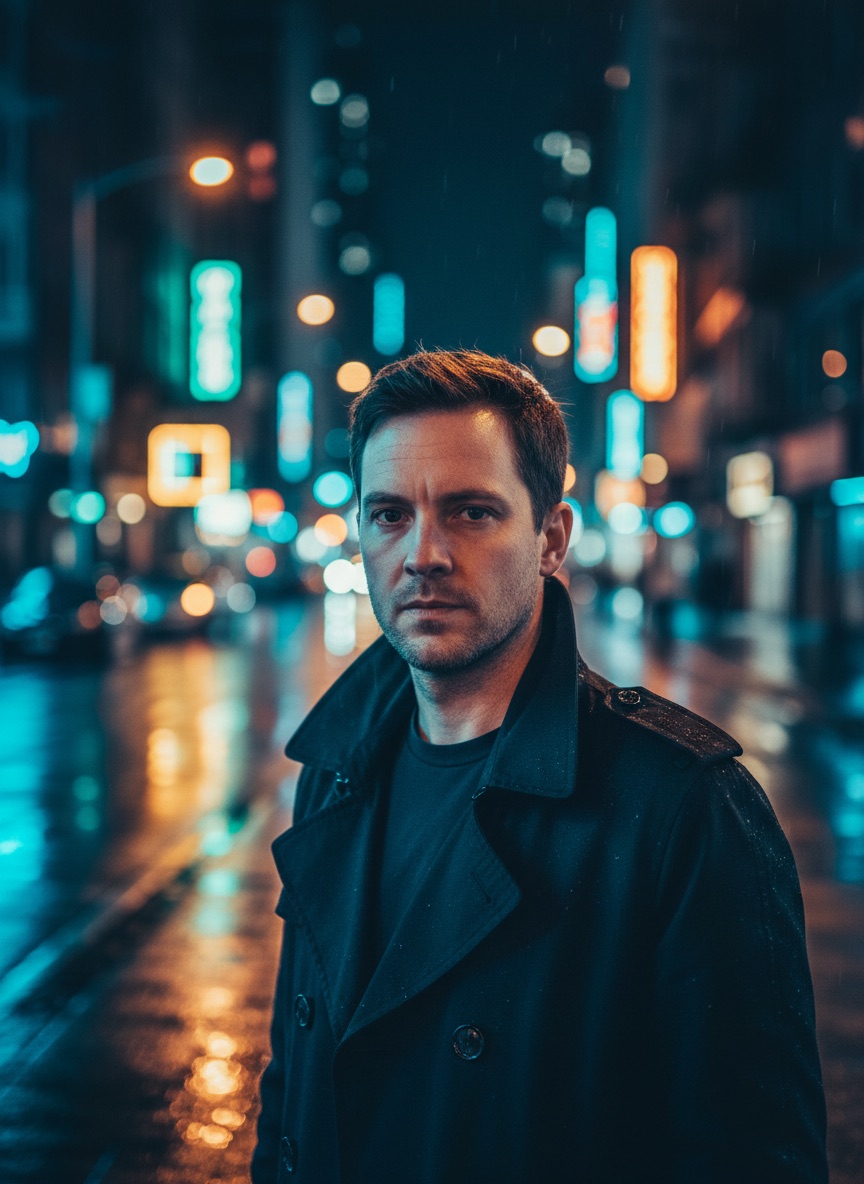
Edit this photo: replace the background with [A RAIN-SLICKED CITY STREET AT NIGHT WITH DISTANT NEON SIGNAGE], softly blurred. Keep the person unchanged — face, features, jawline, skin tone, hairstyle, beard, outfit, pose and proportions exactly as in the original. Relight the subject to match: cool ambient light with a warm rim light from behind-right, matching shadow direction. Shallow depth of field. Cinematic, photorealistic, 4K quality.
13. Retro film portrait
prompt
Restyle this portrait as a [1970s] film photograph. Keep the face, features, jawline, expression, beard, hairstyle and pose exactly as they are. Apply period colour science: warm slightly faded tones, muted contrast, gentle highlight rolloff, subtle colour shift in the shadows. Add fine natural film grain. No fake light leaks. Keep visible skin texture and stubble. Realistic film photograph, not a filter.
14. Passport and ID photo
prompt
Convert this photo into a passport-style portrait. Keep the face, facial features, face shape, skin tone, beard and hairstyle exactly as they are. Plain white background, subject centred and facing forward, head and shoulders framing, even frontal lighting with no shadows on the face or background, neutral expression preserved from the original. Natural skin texture, no smoothing. Sharp, 4K quality.
Getting a result that does not look edited
- Make one change per prompt. A suit, a beard and a new background in one message will cost you the face. Chain them as follow-up messages instead — Gemini edits the previous result rather than starting over.
- Delete flattering adjectives. "Handsome", "perfect", "flawless", "chiselled" all pull toward the plastic look. Describe the thing you want, not how good it should look.
- Ask for texture explicitly, every time. Pores, stubble, skin detail. If you do not name it, it goes.
- Start from the biggest original you have. Below roughly 500 pixels of face, the model is reconstructing rather than preserving, and no prompt fixes that.
Related guides
- Gemini Photo Editing Prompts: the full guide — the 4-part structure behind these
- Google Gemini AI Photo Editing Prompts to Copy and Paste — 30 paste-ready blocks
- Gemini Couple Photo Editing Prompts — two-person edits
- AI Headshot Generator Prompts Guide — generating headshots rather than editing them
- ChatGPT Hairstyle Prompts and Try-On Guide — the ChatGPT-side hairstyle workflow
- Browse all image prompt templates — 140+ prompts by category