
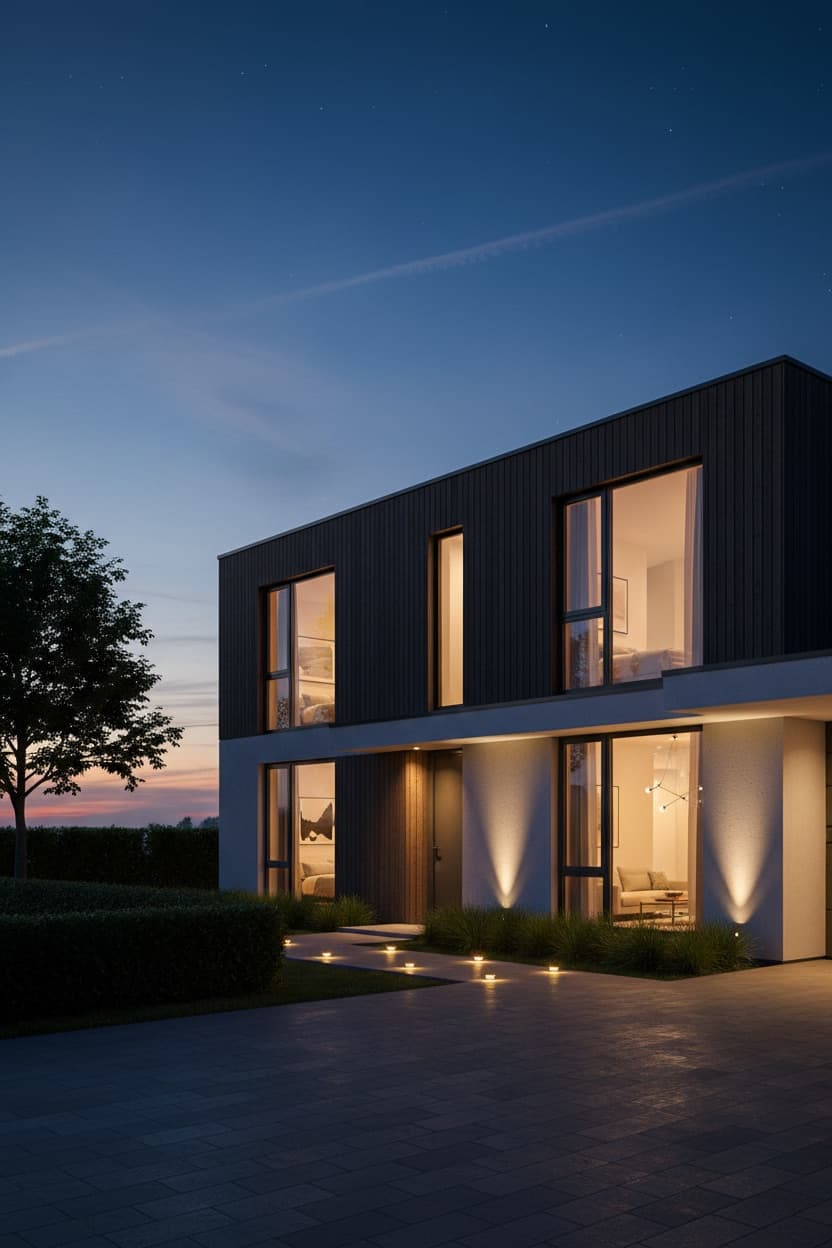
Day to Dusk Architectural Render
Convert a daytime architectural render to twilight with glowing interiors — the archviz money shot, geometry kept accurate.
imageadvancedArchitectural Rendering
# Prompt Template
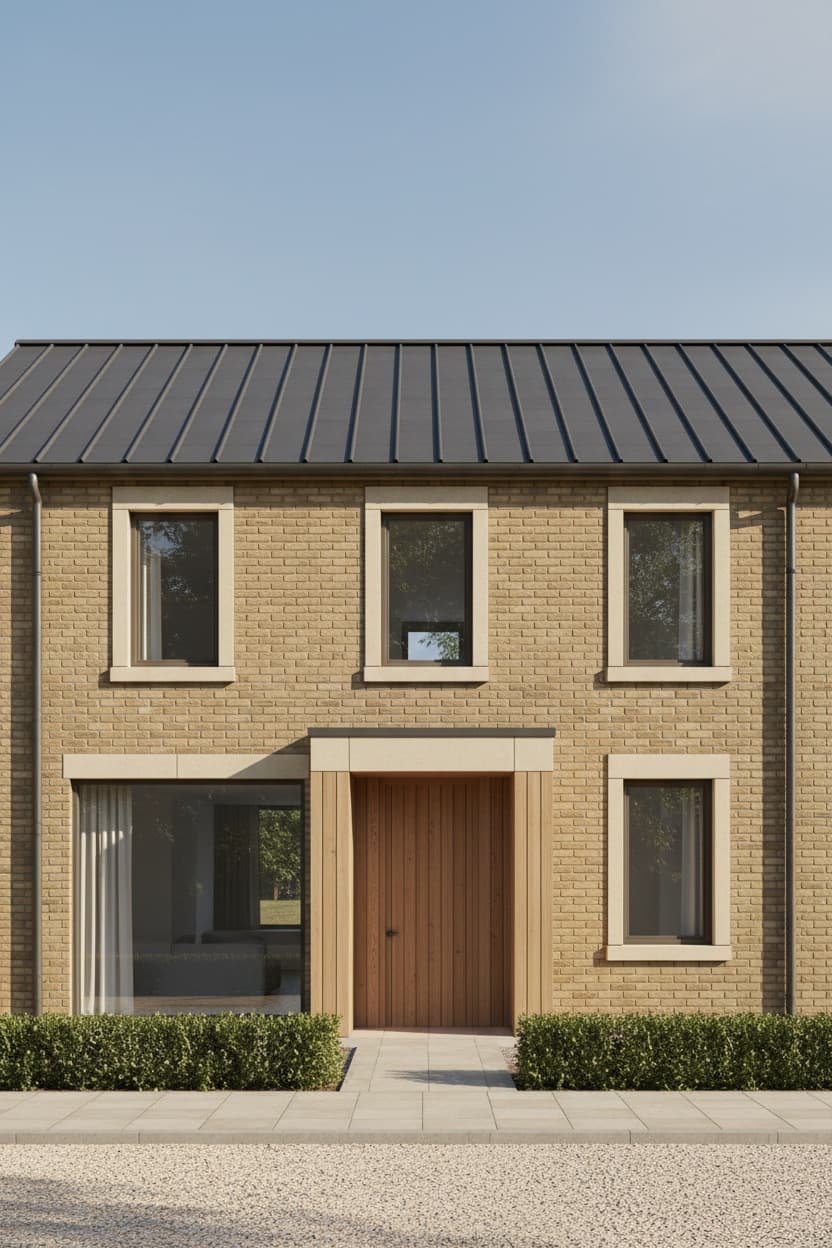
Using the uploaded daytime architectural render, convert the image from daylight to dusk. This is a lighting and atmosphere change only.
WHAT MUST NOT CHANGE — the architecture and the frame. Preserve exactly: the building's geometry, proportions and every material, the camera position and angle, the composition and crop, and the position of every window, door and architectural element. Do not re-render the building, redesign any part of it, move the camera, or alter the landscaping layout. Only the light, the sky and the atmosphere change.
THE SKY — replace the daytime sky with blue hour, roughly 20 minutes after sunset. Deep blue gradient, darkest at the top of the frame and warming toward the horizon where the last of the sun sits. A few streaks of high cloud catching the residual light, first stars just appearing. The sky must retain real tonal detail — never a flat black or a blown-out gradient.
THE INTERIORS — this is what sells the shot. Every window that would plausibly be occupied glows warm from within, around 2700K against the cool blue exterior. Vary the intensity room to room so it reads as a real building rather than a uniformly lit box: the living room bright and inviting, an upstairs bedroom dimmer and softer, the hallway a narrow warm slot. Through the glass, allow a suggestion of interior depth — a ceiling plane, a wall, a hint of furniture — not flat orange fill.
EXTERIOR LIGHTING — warm amber path lights along the walkway, two uplights grazing the facade, a soft glow under the entrance canopy. Each fitting casts a real pool of light with a visible falloff on the surface it washes, plus soft contact shadows.
THE BALANCE — the entire craft of this shot is the exposure balance between a sky that still holds colour and interiors that glow without blowing out. Hold both. The facade should sit in soft ambient blue light, still legible, its materials still readable — not silhouetted.
ATMOSPHERE — clear and crisp with a very light haze around the exterior lights. Colour grade: cool blue shadows against warm amber light, deep but never crushed blacks, saturated but believable.
OUTPUT — one render at the largest size the image tool supports, keeping the source aspect ratio. Do not treat an exact pixel dimension as a requirement.
SELF-CHECK — before presenting, compare against the source by eye: camera position unchanged, building geometry and materials unchanged, sky holding tonal detail, interior lights glowing without clipping, facade materials still readable in the ambient light. If something is clearly off, regenerate once with that correction called out.
Negative prompt:
changed camera angle, altered building geometry, redesigned facade, flat black sky, blown-out windows, silhouetted building, uniform interior lighting, flat orange window fill, daylight, watermark, text, low quality
# Customize Variables
Share:
# Tags
day to duskchatgpt exterior render promptarchitectural rendering aitwilight renderdusk renderchatgpt astraarchvizexterior render prompt for chatgpt
# Related Prompts
# Related Articles
ChatGPT Astra Architecture Prompts — Photo to Editable 3D Model
Which of these five produce an editable 3D model and which produce an image, the full prompts, and the checks that make Astra iterate.
ChatGPT Image Prompts for 4K Quality
Master high-resolution AI image generation with proven prompt techniques.
Stunning AI Art with DALL-E & Midjourney
Complete guide to crafting prompts for breathtaking AI artwork.
Ultimate Guide to Prompt Engineering
Learn the principles behind crafting effective prompts for any AI tool.
newsletter.sh
# Weekly Best Prompts — Delivered Free
Get the 5 best ChatGPT prompts of the week, curated and ready to copy. No spam, unsubscribe any time.
$ No spam · Unsubscribe any time · Free forever